Smartphones
Google Pixel 11 vs Pixel 11 Pro vs Pro XL vs Pro Fold: Specs, Differences and Which One to Buy
TechKitchen Editor · August 19, 2026
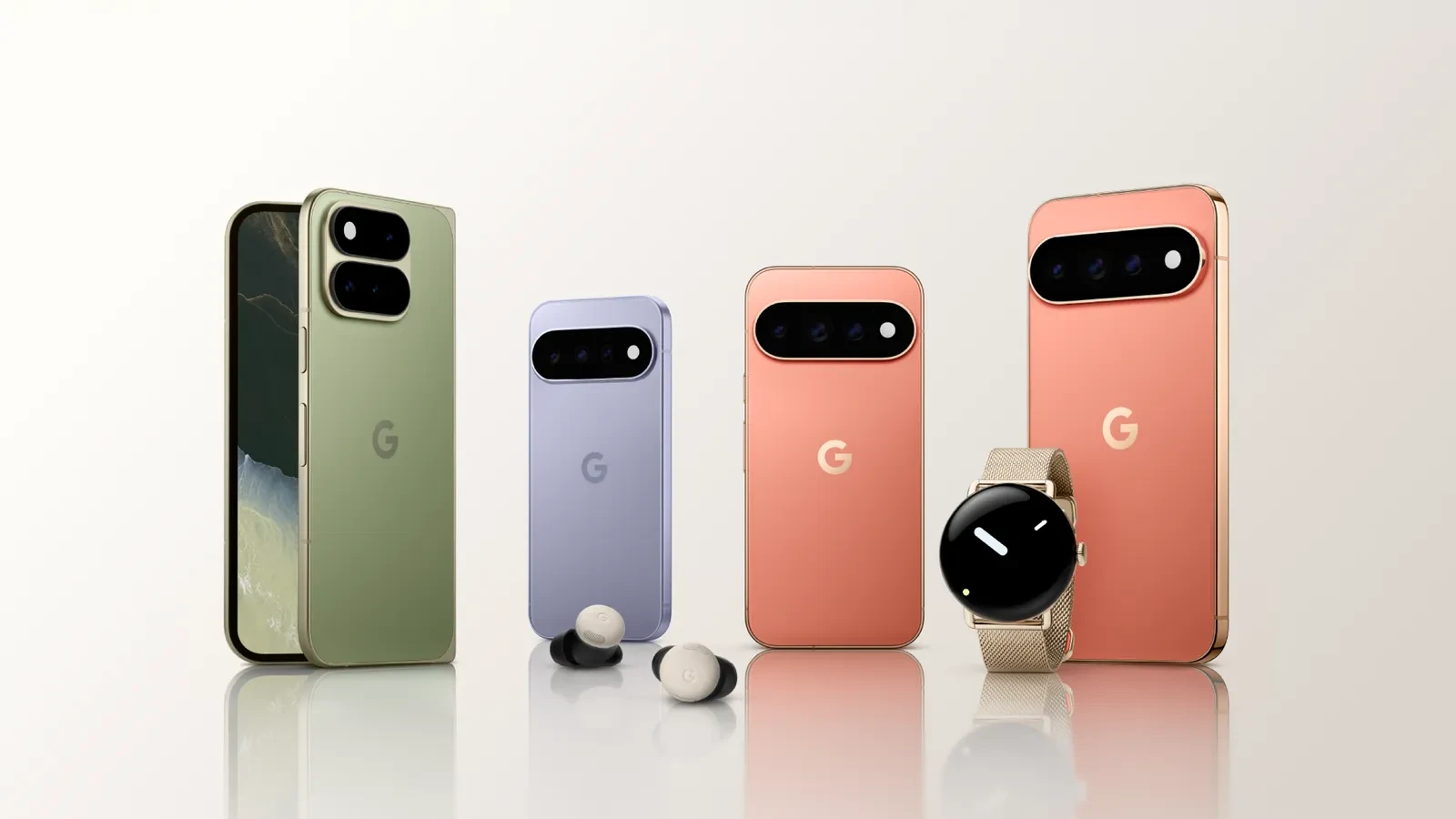
Google introduced four new Pixel 11 phones with Tensor G6, Gemini Intelligence, Pixelsnap magnetic charging, and major camera upgrades. Here is Gus with an honest, plain-English breakdown to help you pick the right one.
⚡ Editorial Note and Transparency
This is an in-depth lineup analysis based on official Google technical documentation and product materials. Every specification, feature breakdown, and buying recommendation has been evaluated to help you spend your money where it actually changes your daily life.
Welcome back to TechKitchen. Gus here.
Google did not build four new Pixel 11 models just to fill out price brackets. They built four distinct answers to one simple question: how much of your day to day workflow do you want your phone to handle on its own?
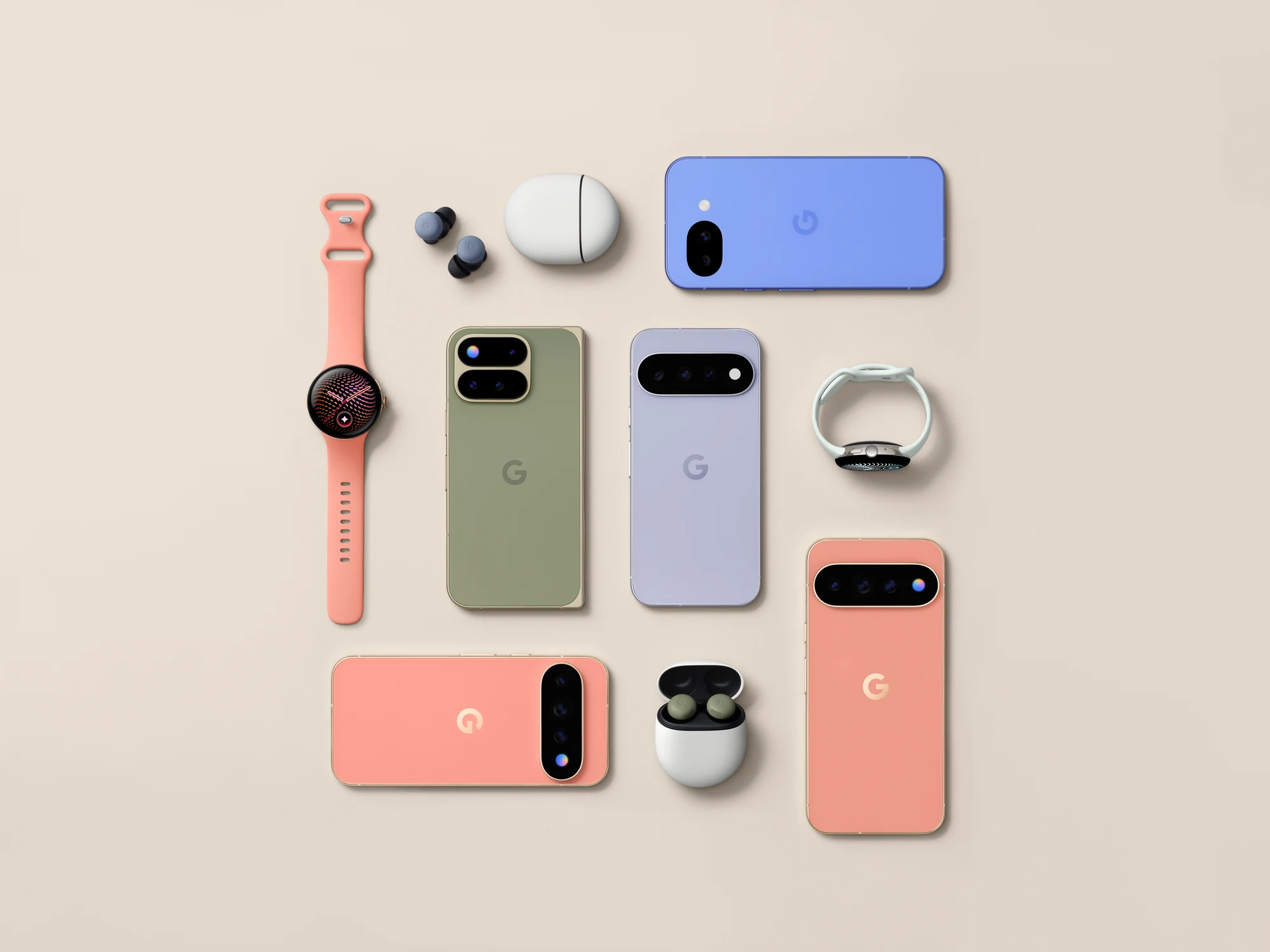
The Pixel 11 is the everyday overachiever. The Pixel 11 Pro puts high-end creator cameras into a compact 6.3-inch frame. The Pixel 11 Pro XL turns that same Pro power into a massive 6.8-inch viewing and editing canvas with blistering charging speeds. And the Pixel 11 Pro Fold transforms into an 8-inch multitasking command center the second you open it.
Before you get buried in megapixel counts, let us cut through the marketing noise and look at what actually changed, what these phones feel like in real life, and which one is genuinely built for you.
🔥 The 60-Second Short Answer: Which Pixel 11 Should You Buy?
- Pick the Pixel 11 if you want the absolute best value flagship on the market. You get the full Tensor G6 chip, dedicated 5x telephoto camera with 30x Super Zoom, 30+ hour battery, and Pixelsnap magnetic wireless charging without paying a creator premium.
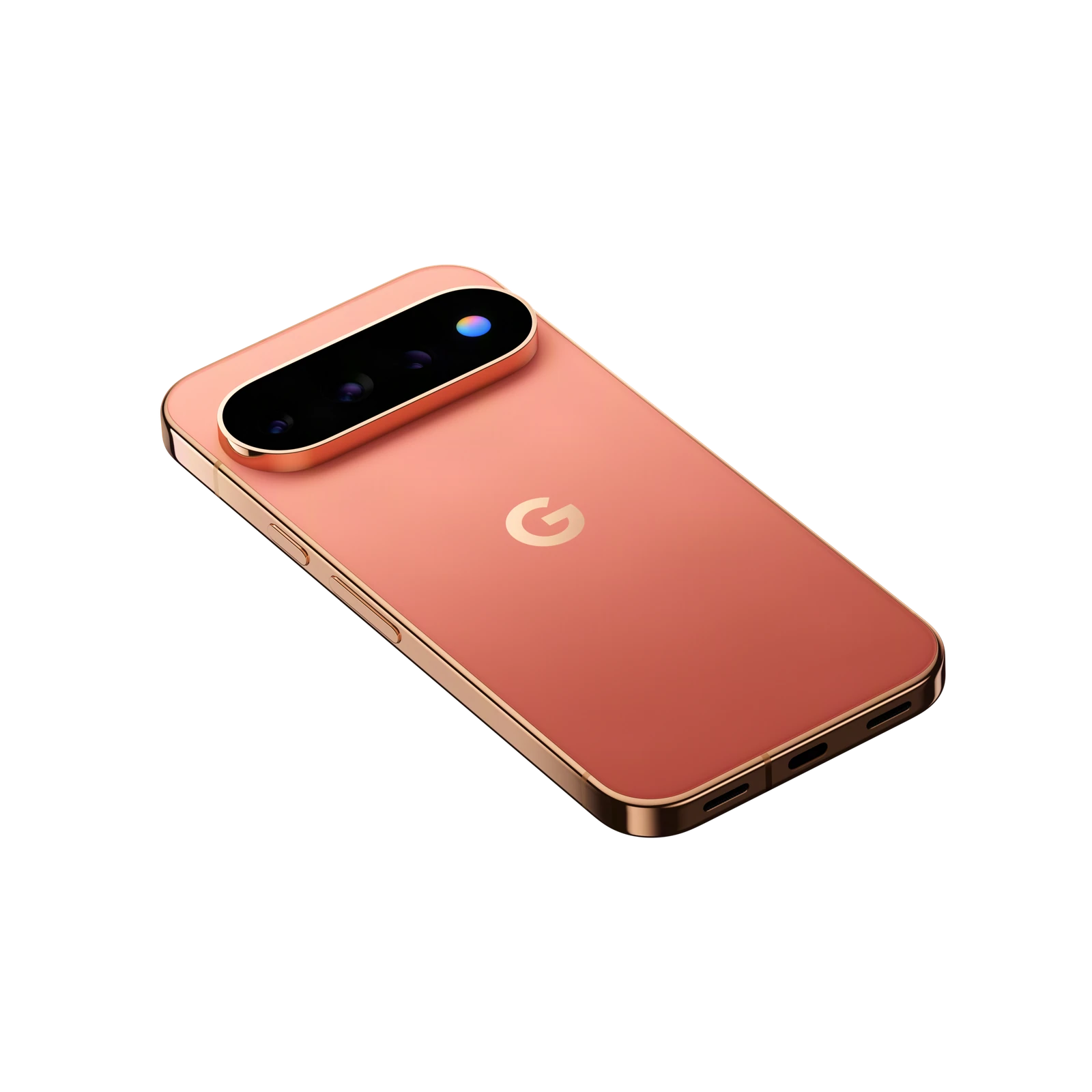
- Pick the Pixel 11 Pro if you want pro-level camera flexibility, 120x Pro Zoom, Instant Night Sight, 8K Video Boost, and the new HiLight rear ambient notification light, all packed in a comfortable, one-handed 6.3-inch body.
- Pick the Pixel 11 Pro XL if you want that same elite Pro camera system paired with a spacious 6.8-inch display, the biggest battery in the slab lineup, and ultra-fast 45W wired charging (0 to 75% in just 30 minutes).
- Pick the Pixel 11 Pro Fold if you are a power user, frequent traveler, or multitasker whose daily workflow will actually benefit from an 8-inch inner canvas, split-screen multitasking, tabletop recording, and dual-screen framing.
Stuck between the Pro and the Pro XL? That is the closest call in the lineup, and I worked through it over a full week of real use in my Pixel 11 Pro XL hands-on review.
Top Recommended Pixel 11 Setups and Accessories
If you already know which device fits your routine, these are the official models, chargers, and companion accessories I recommend picking up:
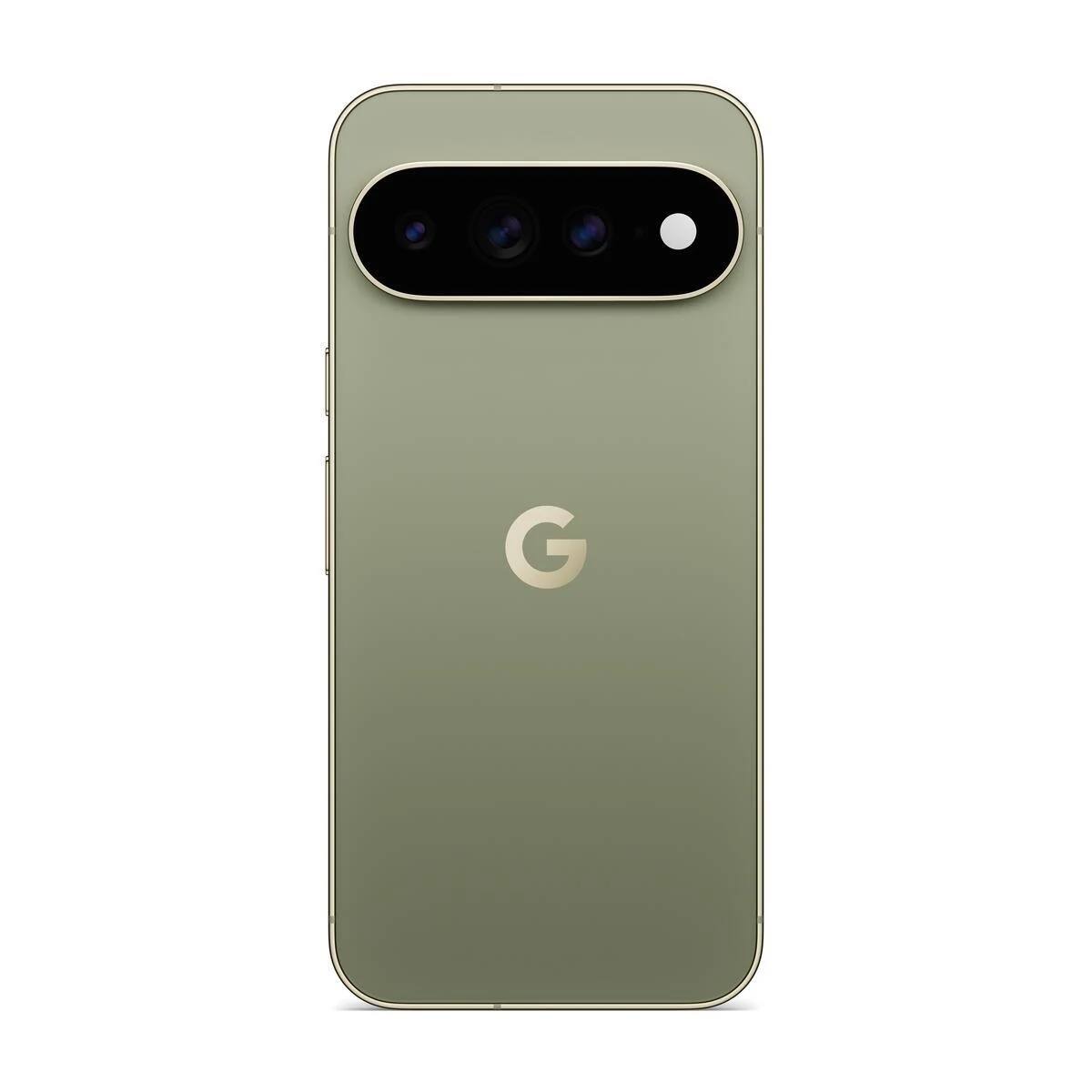
Google Pixel 11 Pro XL
Google top conventional flagship. Huge 6.8-inch Super Actua LTPO display, pro cameras, and lightning-fast 75% in 30 minutes charging.
- 6.8-inch Super Actua 1 to 120Hz LTPO (3,600 nits)
- 50MP Main, 48MP Ultrawide, 48MP 5x Telephoto
- 120x Pro Zoom and 8K Video Boost
- 5,115 mAh Battery and 45W Fast Charging
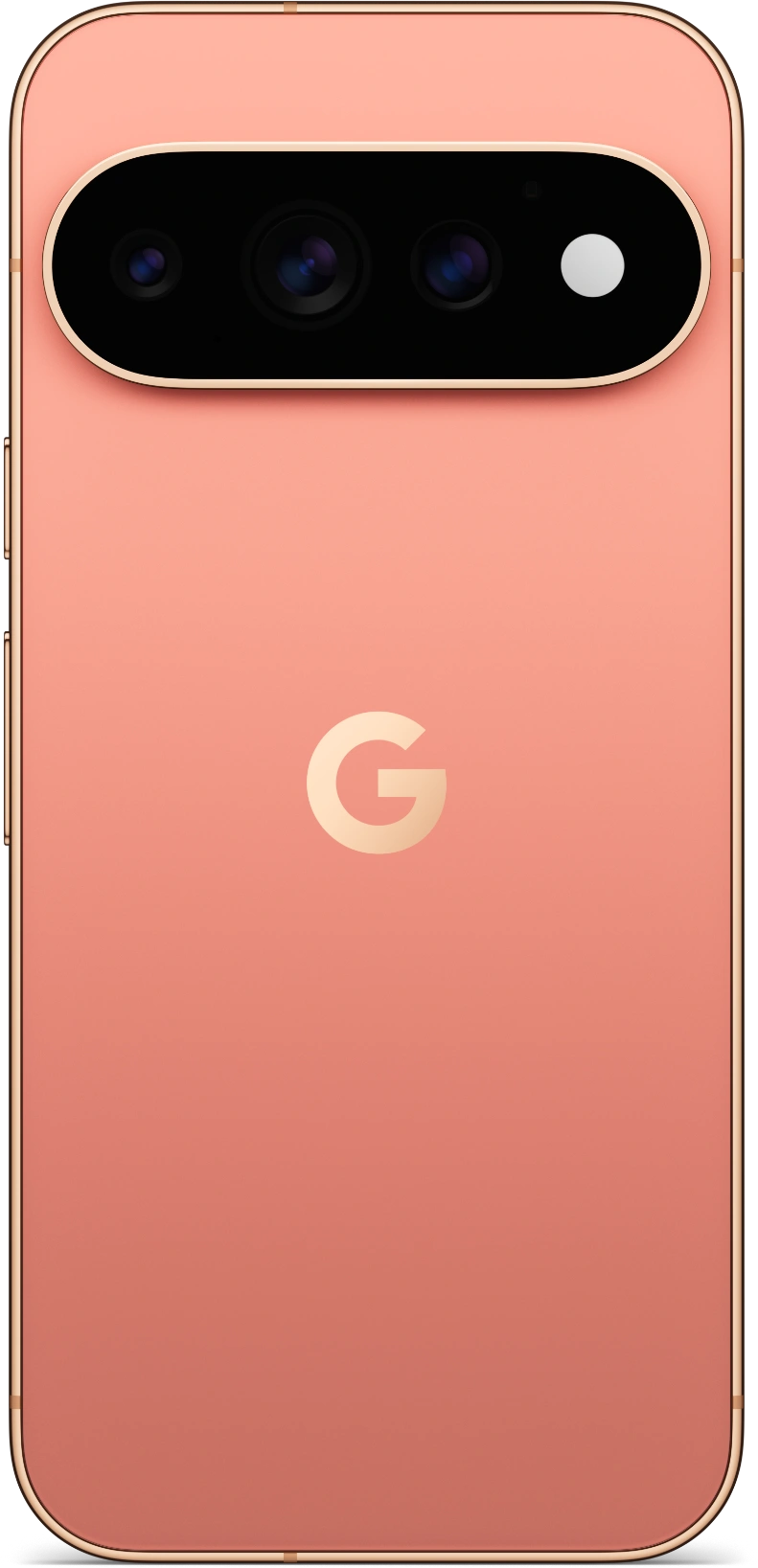
Google Pixel 11 Pro
The pro creator setup in a pocket-friendly 6.3-inch body. Uncompromised 120x Pro Zoom, Instant Night Sight, and ambient HiLight.
- 6.3-inch Super Actua 1 to 120Hz LTPO (3,600 nits)
- Same Pro Triple Camera as Pro XL
- 42MP Ultrawide Front Selfie Camera
- Exclusive Rear HiLight LED Glow
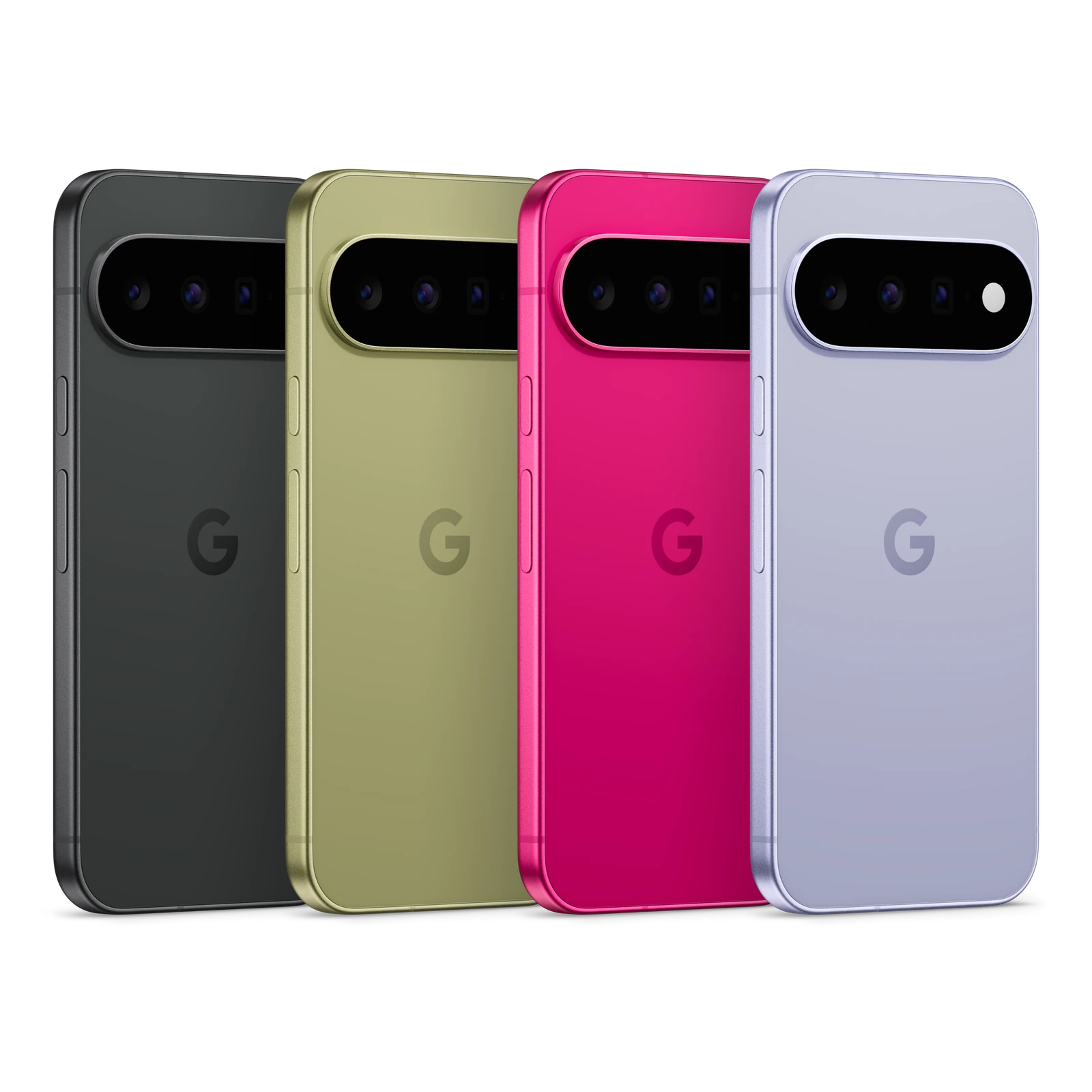
Google Pixel 11
The smartest all-around buy. Tensor G6 power, dedicated 5x telephoto, 30x Super Zoom, and 30+ hour battery at an accessible price.
- 6.3-inch Actua 60 to 120Hz OLED (3,000 nits)
- 48MP Main, 13MP Ultrawide, 10.8MP 5x Tele
- 30x Super Zoom and Magic Capture
- 4,985 mAh Battery and 25W Pixelsnap Qi2.2

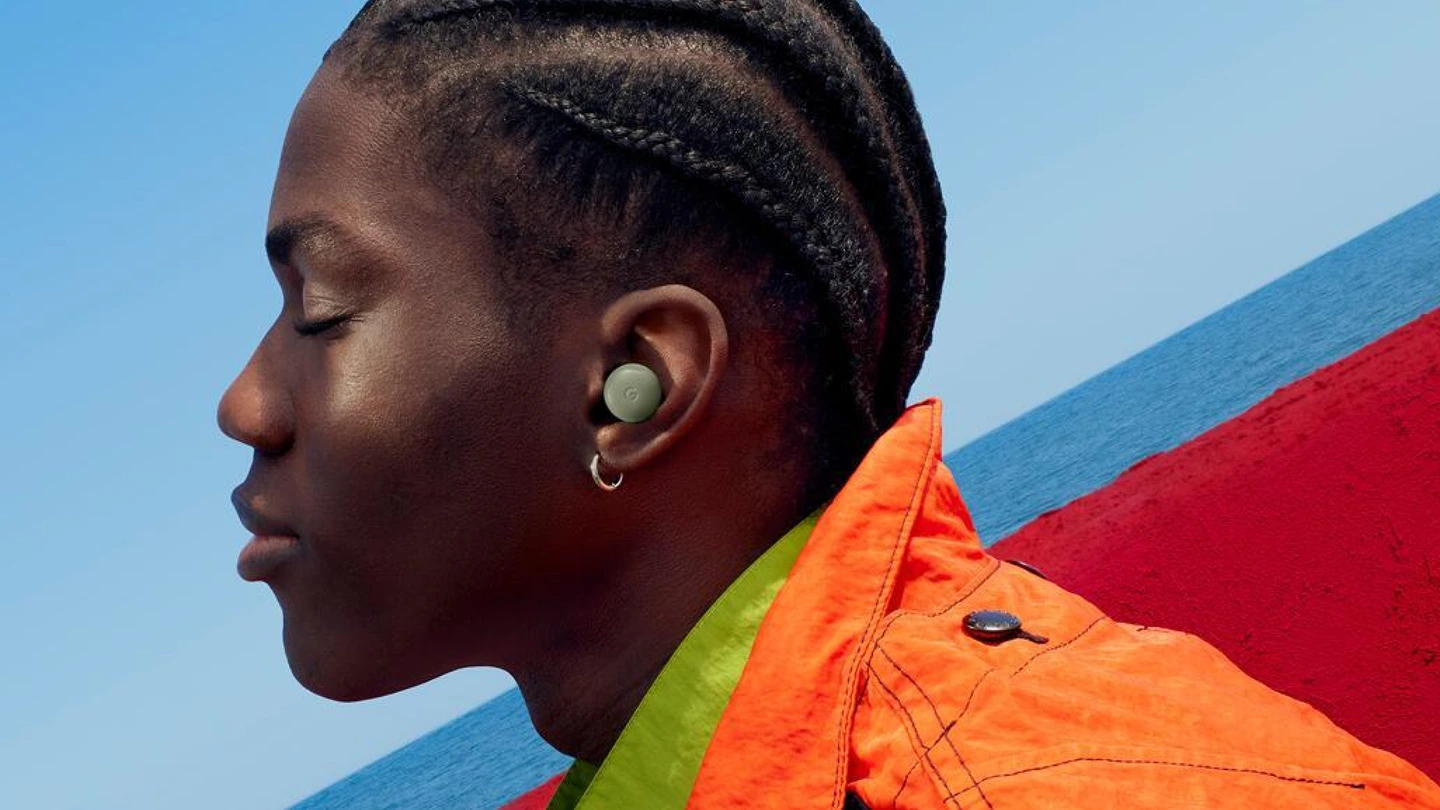
Google Pixel Buds 2a
Active noise cancellation, clear call microphones, and seamless Fast Pair switching across your Pixel ecosystem.
- Active Noise Cancellation (ANC)
- Clear calling with Tensor speech clarity
- Fast Pair and Auto-audio switching
- Wireless charging case compatibility

Google Pixelsnap Charger with Stand 25W Qi2 Wireless Charger and Stand
Fast 25W magnetic wireless charging stand that holds your phone upright and activates bedside smart display clocks.
- 25W Qi2 fast magnetic wireless charging
- Integrated stand for bedside smart display clock
- Snaps securely into optimal alignment every time
- Includes fast power adapter and braided cable
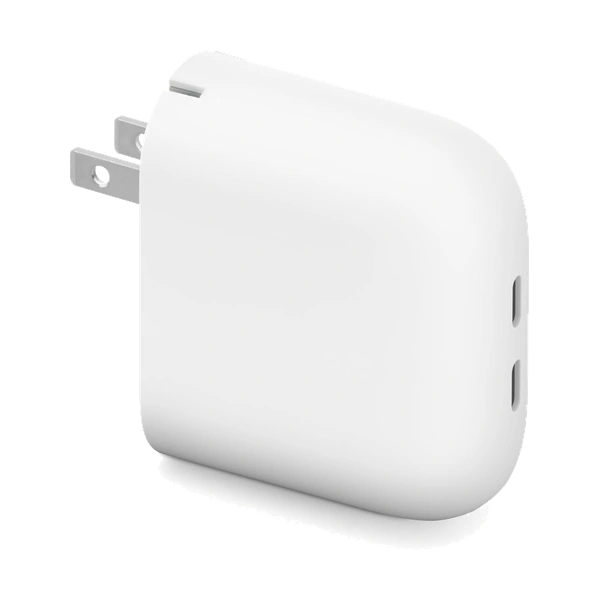
Google Pixel Flex Dual Port 67W USBC Fast Charger Phone Charger
High-speed dual-port fast charger capable of charging two devices at once and powering Pixel 11 Pro XL to 75% in 30 minutes.
- 67W Dual USB-C Power Delivery 3.0 PPS
- Charges two devices simultaneously at high speed
- Fast charges Pixel 11 Pro XL to 75% in 30 minutes
- Compact folding prongs for easy travel carry
Amazon Disclosure: As an Amazon Associate, TechKitchen earns from qualifying purchases. Product prices, deals, and availability are accurate as of publication time. I only link products I personally evaluate and believe deliver genuine value to your setup.
Google Pixel 11 Lineup: The Side-by-Side Comparison
Here is how the four models compare across the hardware specifications that actually impact your day:
| Specification | Pixel 11 | Pixel 11 Pro | Pixel 11 Pro XL | Pixel 11 Pro Fold |
|---|---|---|---|---|
| Best For | Everyday flagship value | Compact creator power | Big-screen and fast charging | Multitasking power users |
| Main Display | 6.3-inch Actua OLED (3,000 nits) | 6.3-inch Super Actua LTPO (3,600 nits) | 6.8-inch Super Actua LTPO (3,600 nits) | 8.0-inch Super Actua Flex plus Outer |
| Refresh Rate | 60Hz to 120Hz | 1Hz to 120Hz adaptive | 1Hz to 120Hz adaptive | 120Hz smooth foldable |
| Main Camera | 48MP wide (1/1.56-inch) | 50MP wide (1/1.3-inch large sensor) | 50MP wide (1/1.3-inch large sensor) | 48MP wide foldable system |
| Telephoto Camera | 10.8MP 5x Optical (30x Super Zoom) | 48MP 5x Optical (120x Pro Zoom) | 48MP 5x Optical (120x Pro Zoom) | 10.8MP 5x Optical (30x Super Zoom) |
| Ultrawide Camera | 13MP (120° FOV) | 48MP (123° FOV) with Macro Focus | 48MP (123° FOV) with Macro Focus | 10.5MP Ultrawide with Macro |
| Front Selfie Camera | 10.5MP Autofocus (95° FOV) | 42MP Ultrawide AF (103° FOV) | 42MP Ultrawide AF (103° FOV) | Dual 10MP plus Rear Camera Selfies |
| Video Capabilities | 4K up to 60 fps | 8K Video Boost and Pro Stable | 8K Video Boost and Pro Stable | 4K Video and Tabletop Hands-Free |
| HiLight Rear Notification | No | Yes (RGB Flash Ring) | Yes (RGB Flash Ring) | No |
| Processor and Security | Tensor G6 and Titan M3 | Tensor G6 and Titan M3 | Tensor G6 and Titan M3 | Tensor G6 and Titan M3 |
| RAM and Storage | 12GB RAM, 256GB or 512GB | 12GB or 16GB, Up to 1TB | 12GB or 16GB, Up to 1TB | 16GB RAM, Up to 1TB |
| Battery Capacity | 4,985 mAh (30+ hours) | 4,850 mAh (30+ hours) | 5,115 mAh (30+ hours) | 4,650 mAh (24+ hours) |
| Wired Charging Speed | Up to 55% in 30 minutes (30W) | Up to 55% in 30 minutes (30W) | Up to 75% in 30 minutes (45W) | Up to 50% in 30 minutes (30W) |
| Wireless Charging | 25W Pixelsnap Qi2.2 Magnetic | 25W Pixelsnap Qi2.2 Magnetic | 25W Pixelsnap Qi2.2 Magnetic | 15W Pixelsnap Qi2.2 Magnetic |
| Software Support | 7 Years OS and Security Updates | 7 Years OS and Security Updates | 7 Years OS and Security Updates | 7 Years OS and Security Updates |
What Every Pixel 11 Gets Right: Shared DNA
⚙️ Google Tensor G6: Built for Intelligence, Not Just Benchmarks
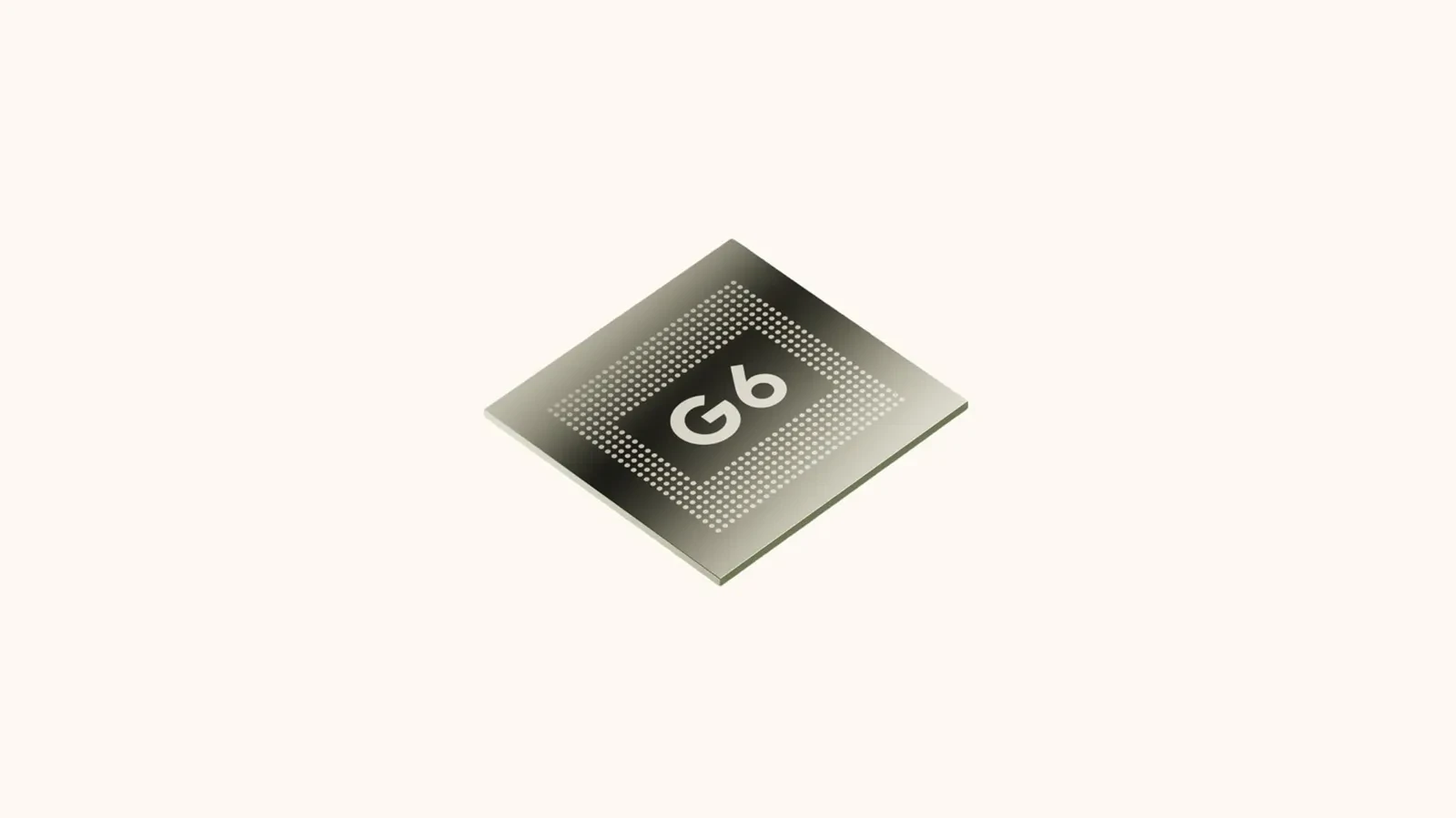
At the core of all four devices is Google new Tensor G6 chip paired with the Titan M3 security coprocessor. Rather than chasing theoretical synthetic benchmark scores that drain battery, Google engineered the G6 around real-world utility:
Powers Instant Night Sight, 120x generative detail reconstruction, and on-device Gemini Nano with near-zero latency.
Redesigned CPU architecture keeps the phone cool during heavy 4K shooting and navigation while extending battery life past 30 hours.
Titan M3 implements quantum-resilient secure boot encryption to keep personal data safe from future cyber threats.
⚡ Pixelsnap: Wireless Charging Fixed for Good
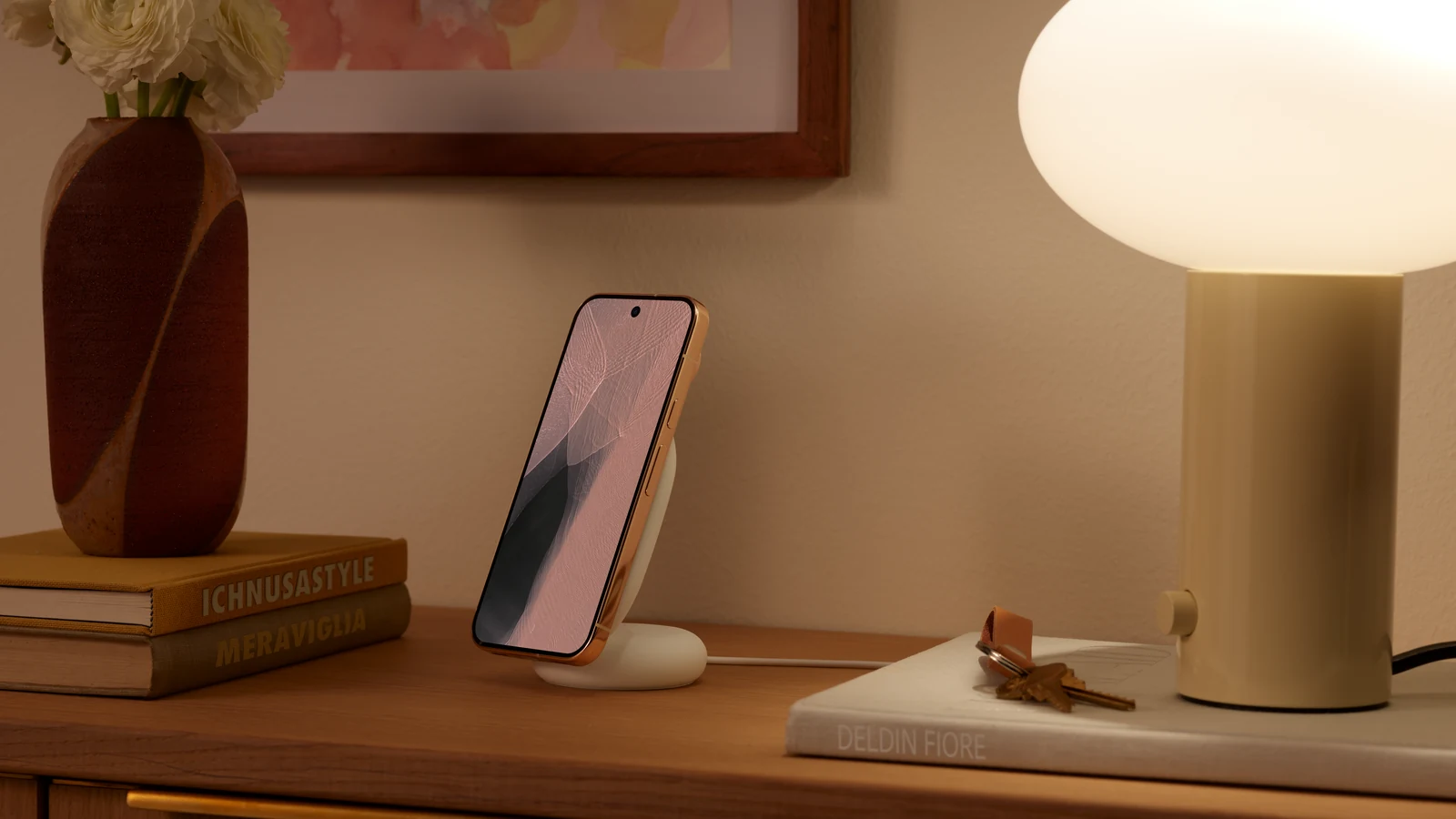
If you have ever woken up with a dead phone because you set it half an inch off-center on a wireless pad, Pixelsnap is going to make you very happy. All Pixel 11 models feature built-in Pixelsnap magnetic alignment supporting the new Qi 2.2 standard at up to 25W. Chargers, wallet attachments, car mounts, and desk stands snap securely into optimal alignment every single time.
Pixelsnap Stand Experience
🛡️ Built to Last: 7 Years of Updates and 10 Recycled Materials
Google is backing every Pixel 11 slab phone with seven full years of Android OS upgrades, security patches, and quarterly Pixel Drops through 2033. Durability also takes a notable leap: the front glass features a new 2x scratch-resistant display coating over Gorilla Glass Victus 2, and the internal chassis incorporates 10 recycled materials including 100% recycled lithium in the battery cell and 100% recycled rare earth magnets.
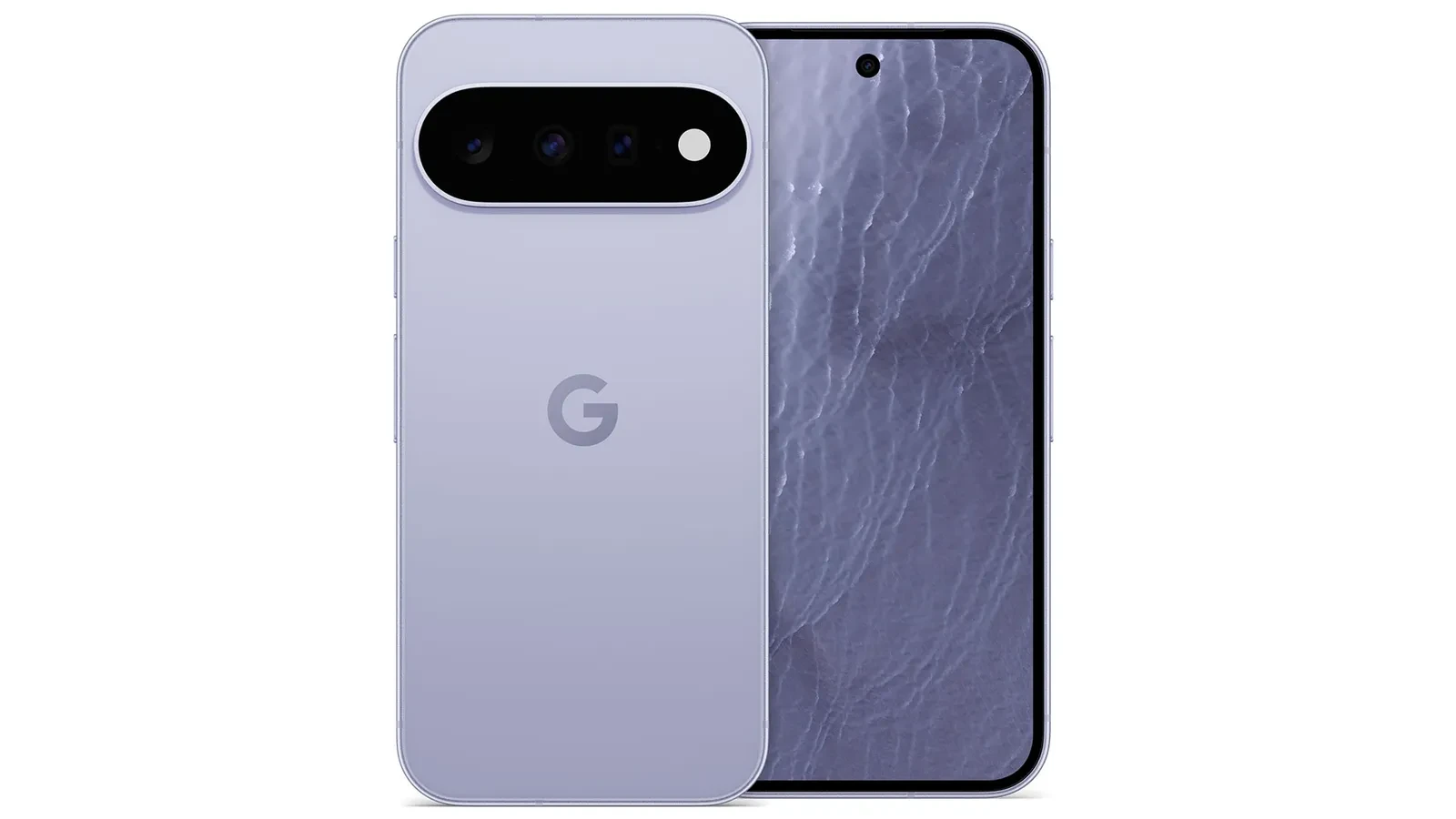
The Camera Revolution: Built to Save the Moment
Google camera philosophy has always focused on getting you a great shot without requiring you to fiddle with complex manual controls. On the Pixel 11 series, that philosophy gets several major upgrades:
📸 Magic Capture: One Tap, Both Video and High-Res Photos
How many times have you hesitated between snapping a photo or recording a video and ended up missing the moment? In Magic Capture mode, tapping the shutter records 4K video while simultaneously capturing full-resolution stills. Google on-device AI automatically detects the best candid smiles, unblurs motion, and provides share-ready photos in Google Photos without manual editing.
Try It Yourself

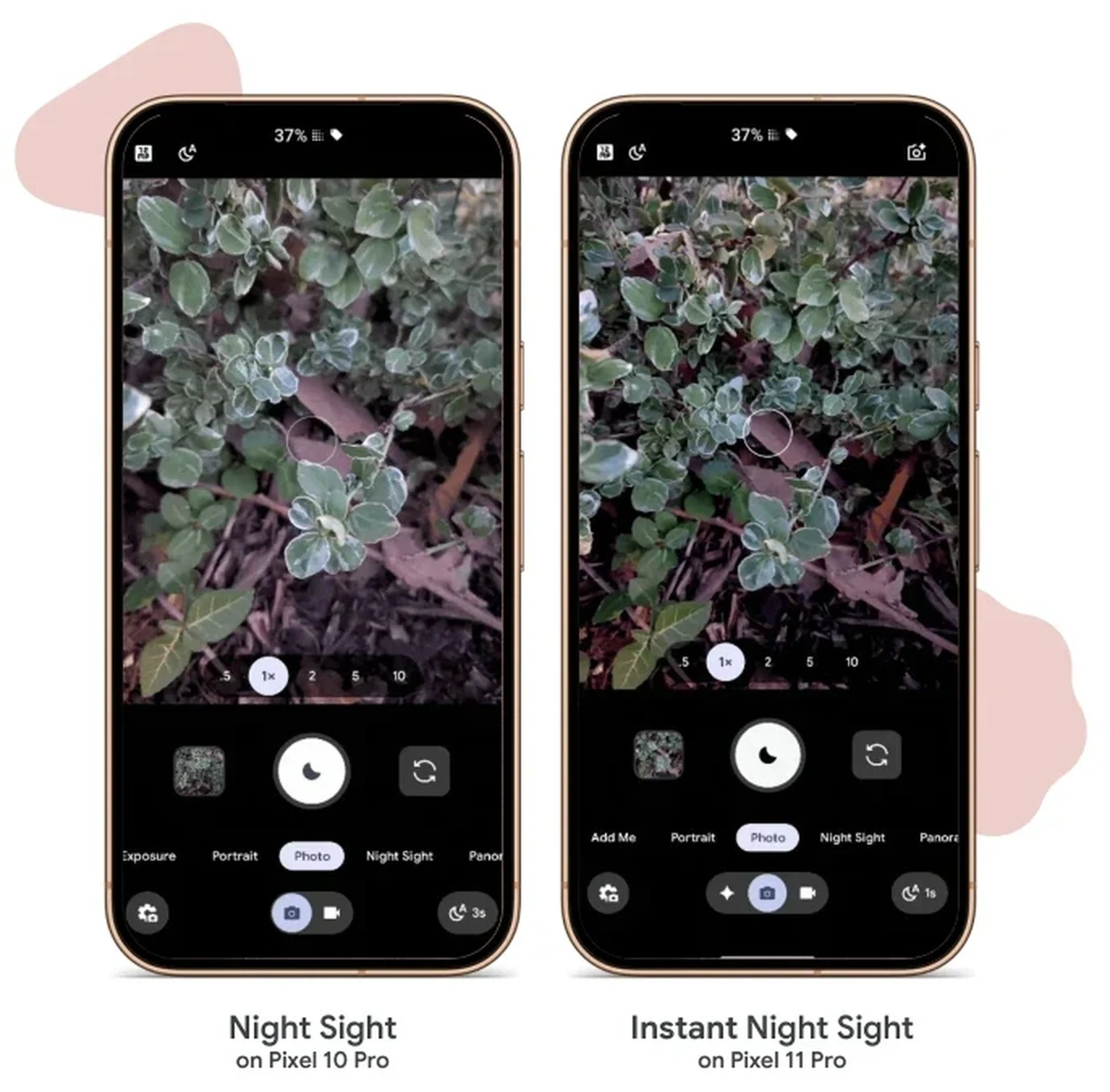
🌙 Instant Night Sight: Up to 4.5x Faster Low-Light Capture
On earlier phones, Night Sight meant holding your breath for 3 to 5 seconds while the phone stacked exposures. On the Pixel 11 Pro and Pro XL, Instant Night Sight cuts capture time down to a fraction of a second. Powered by the larger 1/1.3-inch sensor and Tensor G6 TPU compute, you get crisp, noise-free evening shots of moving people and pets without motion blur.
3 to 5 second capture delay, prone to motion blur with moving subjects.
Sub-second capture, locks in sharp details and authentic dark shadows instantly.
🔍 120x Pro Zoom vs 30x Super Zoom: Reach Where It Counts
The standard Pixel 11 gives you a dedicated 10.8MP 5x optical telephoto lens with optical stabilization and 30x Super Zoom. That is a massive deal because most standard flagship phones drop the telephoto entirely.
On the Pixel 11 Pro and Pro XL, the telephoto steps up to a redesigned 48MP 5x sensor gathering 32% more light. Paired with on-device generative reconstruction models, it delivers astonishing clarity up to 120x Pro Zoom for concerts, sports stadiums, and wildlife.
How to Use 120x Pro Zoom
Honest caveat after a week of shooting: the 5x optical range is the one I actually keep photos from, while 120x mostly confirms that a distant sign really is a sign. I show real samples from both in my Pixel 11 Pro XL hands-on.
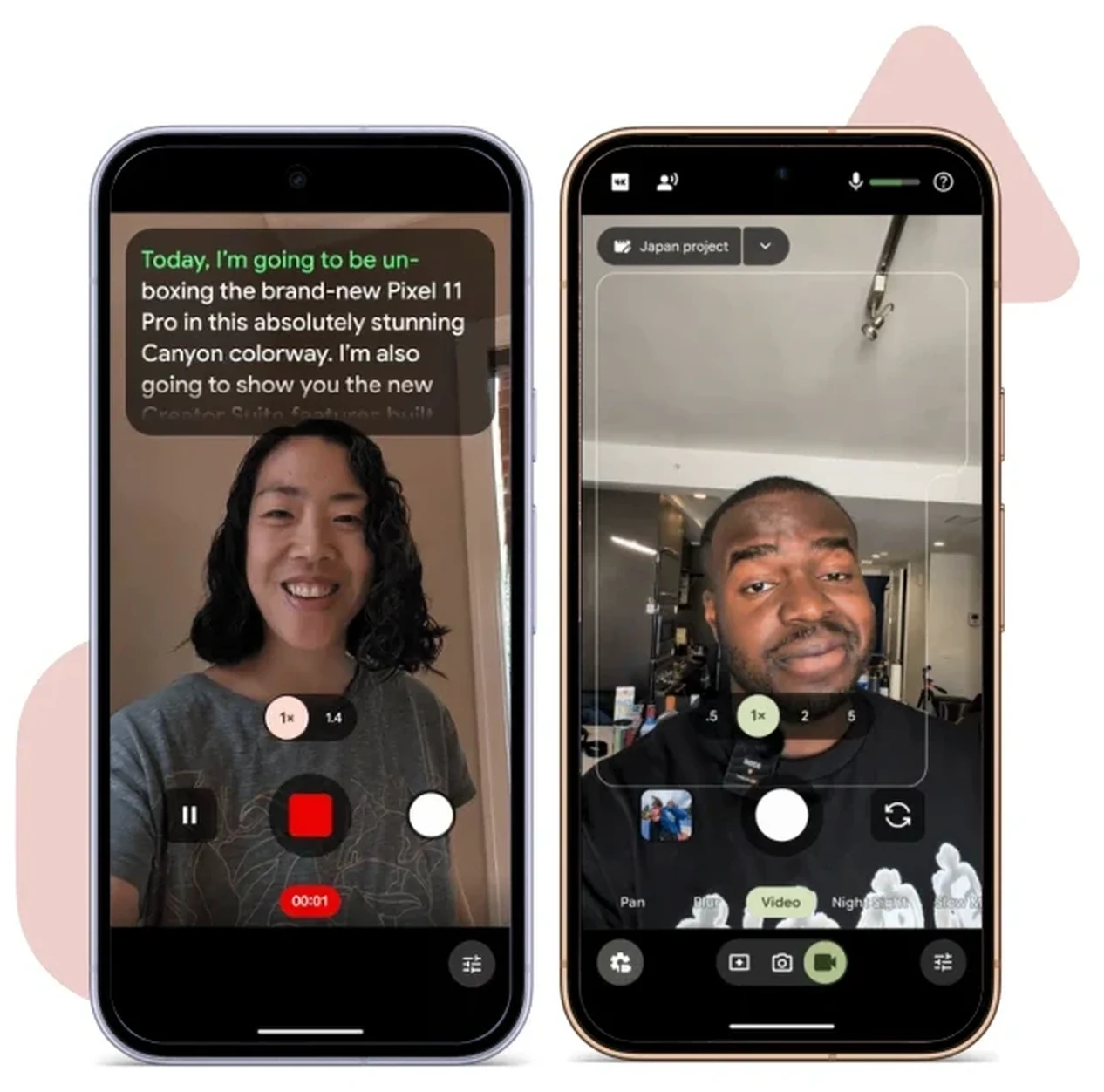
🎬 Creator Suite and Pro Stable Video: Your Pocket Studio
Content creators get dedicated tools built directly into the camera viewfinder:
Automatically scrolls as you speak and pauses when you pause during direct-to-camera recordings.
Live audio visualizer meters and intelligent background wind or traffic noise removal.
Group clips directly into project folders and trim rough cuts before leaving the camera app.
Ultra-steady stabilization powered by 8K Video Boost for walking, running, and action shots.
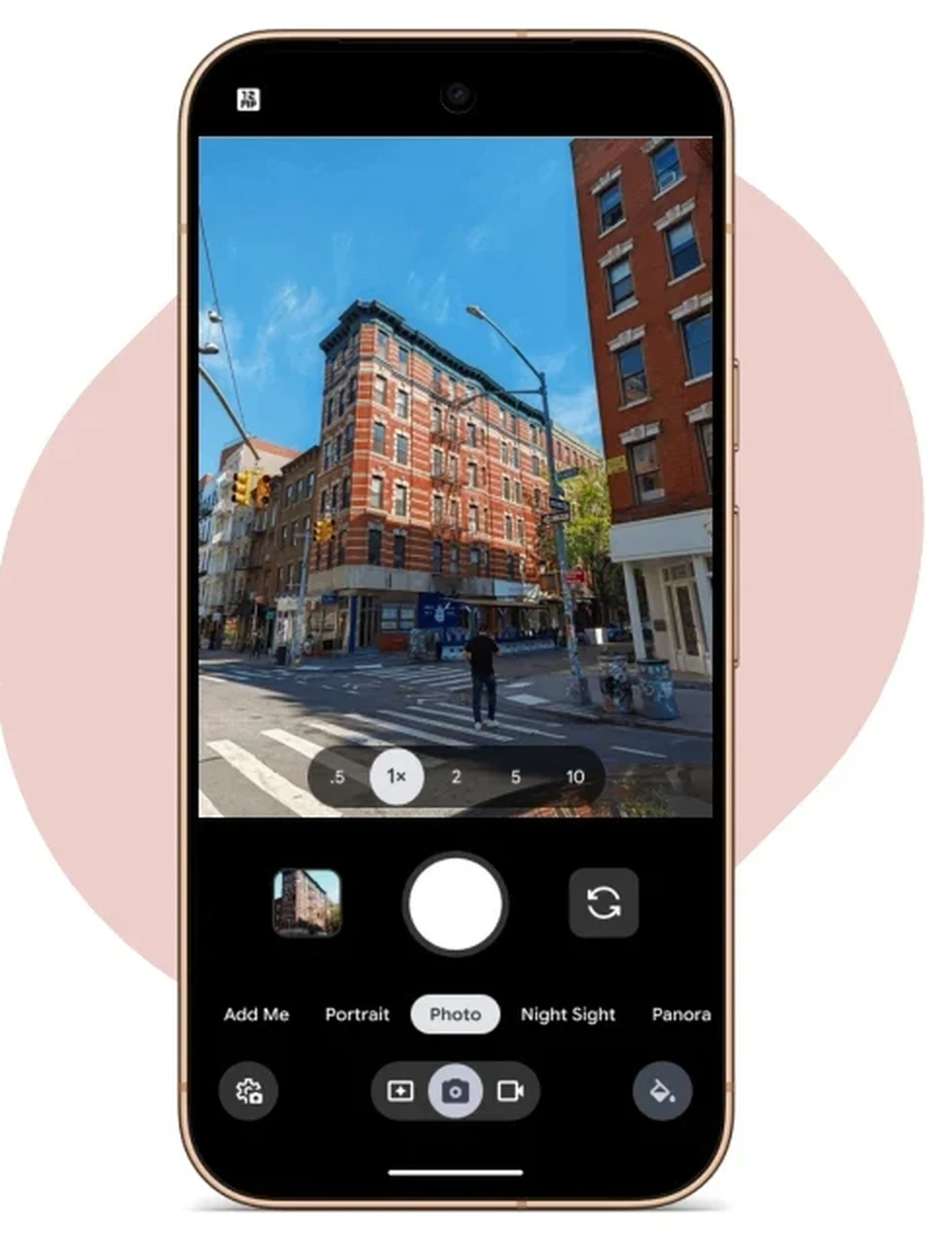
🎨 Camera Looks: Custom Film Aesthetics and Real Tone
Camera Looks allows you to establish custom film aesthetics, grain characteristics, and color profiles directly inside the Pixel imaging pipeline while preserving natural, authentic skin tones.
HiLight: The Quietly Brilliant Pro Feature
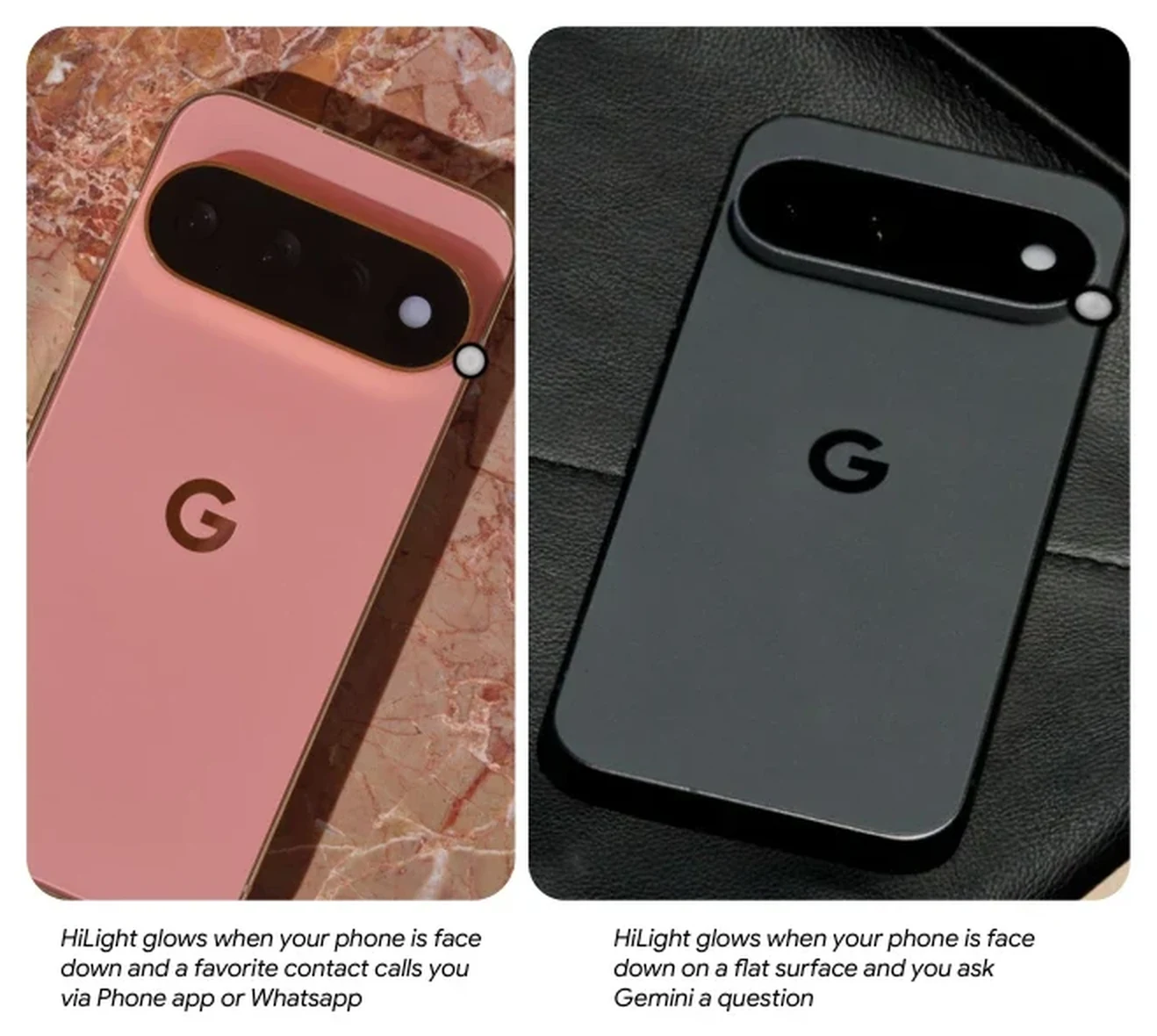
One of my favorite hardware additions on the Pixel 11 Pro and Pixel 11 Pro XL is HiLight. It is a custom-engineered multi-color LED ring integrated around the rear camera flash.
💡 HiLight Ambient Notification Ring
When you place your phone face down on a desk (Flip to Shhh), you usually lose all awareness of incoming messages. With HiLight, you can assign custom glowing colors to your favorite contacts (family, partner, boss). When they call, you get a subtle, elegant ambient glow on the back of the phone. When you talk to Gemini hands-free, HiLight softly pulses to let you know the assistant is listening and processing without lighting up the entire screen.
Setting Up HiLight
Google Pixel 11: The Everyday Overachiever
Let us talk about the standard Pixel 11. In most smartphone lineups, the entry model feels like a compromise designed to push you toward the Pro. The Pixel 11 is the exact opposite.
You get a 6.3-inch Actua OLED display reaching 3,000 nits of peak brightness with smooth 60 to 120Hz scrolling. Inside, it runs the exact same Google Tensor G6 chip with 12GB of RAM and at least 256GB of fast UFS 4.0 storage.
The biggest win is the camera: Google kept a dedicated 10.8MP 5x optical telephoto lens alongside the 48MP main and 13MP ultrawide cameras. That gives you clean optical focal lengths from 0.6x all the way to 10x, plus 30x Super Zoom. Add in a 4,985 mAh battery that easily sails through 30+ hours of mixed use, and you have the most complete $800-tier flagship on the market.
Gus Verdict on Pixel 11: If you do not need 120x zoom, 8K video, or a tablet-sized screen, save your money. The Pixel 11 gives you 90% of the flagship experience for hundreds less.
Google Pixel 11 Pro: The Pocket Creator
For years, getting the best smartphone camera meant buying a massive, pocket-straining phone. The Pixel 11 Pro fixes that equation.
It shares the same compact 6.3-inch footprint as the base Pixel 11, but upgrades the screen to a Super Actua LTPO display that dynamically scales from 1Hz to 120Hz and peaks at 3,600 nits.
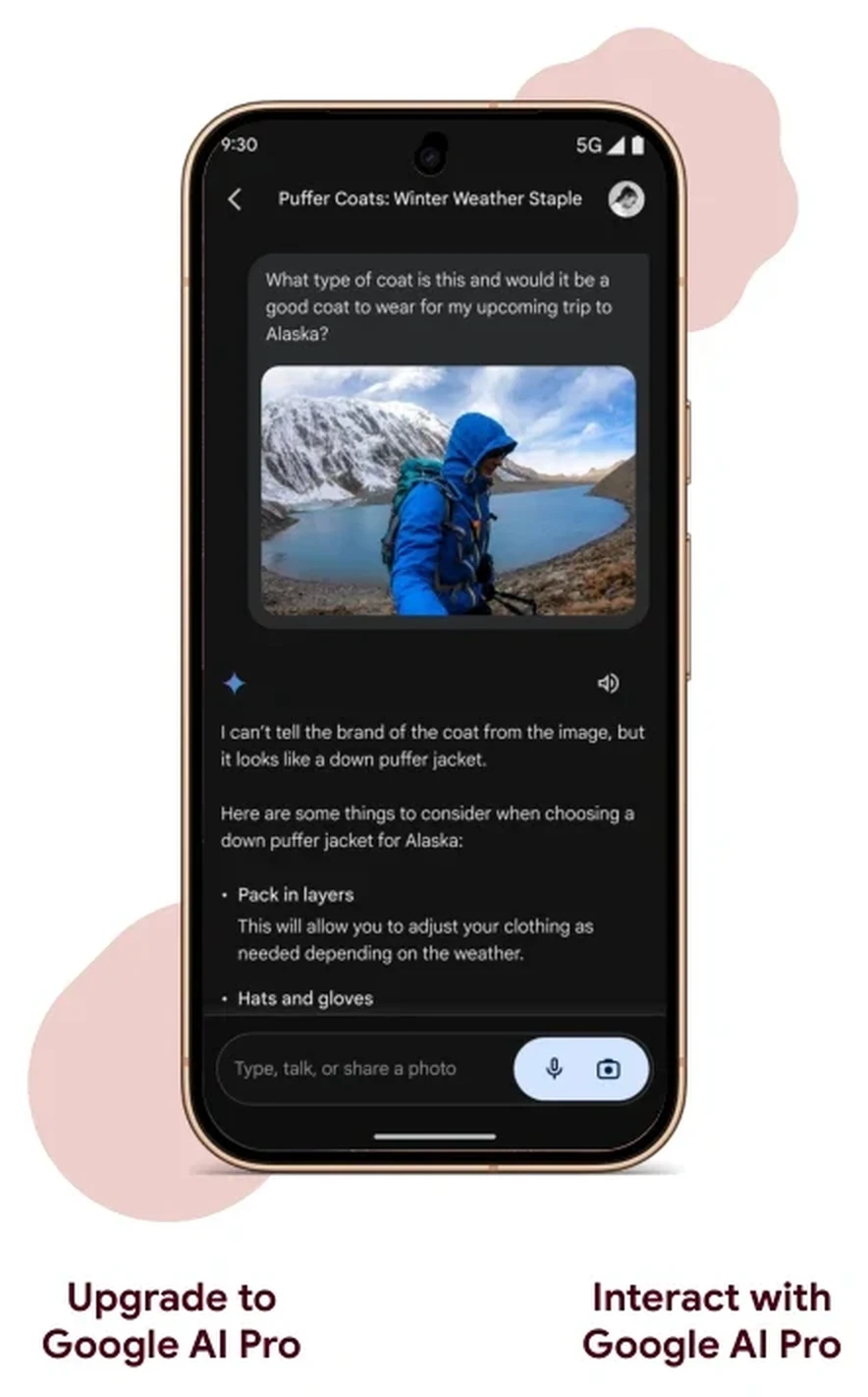
The cameras are where the Pro truly shines: a larger 50MP 1/1.3-inch main sensor, a 48MP ultrawide with macro focus, a 48MP 5x telephoto reaching 120x Pro Zoom, and a massive 42MP 103° ultrawide selfie camera. It also includes exclusive access to Instant Night Sight, 8K Video Boost, Creator Suite, and the rear HiLight LED. Plus, Pro buyers get 6 months of Google AI Pro (with 5TB cloud storage) included at no extra cost.
Gus Verdict on Pixel 11 Pro: The definitive choice for mobile photographers, vloggers, and anyone who wants maximum camera power without carrying a brick in their pocket.
Google Pixel 11 Pro XL: The Big-Screen Powerhouse
If you love large displays and heavy media consumption, the Pixel 11 Pro XL is the ultimate slab device in this lineup.
Here is the honest truth: the camera hardware on the Pro XL is identical to the smaller Pro. You do not buy the XL for better photos. You buy the XL for two specific reasons:
- The 6.8-Inch Canvas: Reviewing photos, editing video timelines, split-screen referencing, and gaming feel significantly more immersive.
- 45W Wired Fast Charging (0 to 75% in 30 minutes): The XL packs a 5,115 mAh battery and supports 45W PPS charging that can restore up to 15 hours of battery life in just 15 minutes of plugged-in time.
Gus Verdict on Pixel 11 Pro XL: If you spend hours watching video, editing on your phone, or navigating in the car and value lightning-quick top-ups, the XL is worth the upgrade. If reaching the top-left corner means shuffling your grip every few minutes, the 6.3-inch Pro gives you the identical camera system without the stretch. I break that trade-off down in the hands-on video above.
Google Pixel 11 Pro Fold: The Mobile Command Centre
The Pixel 11 Pro Fold is not trying to be a normal phone. It is a pocket-sized dual-screen productivity workstation.
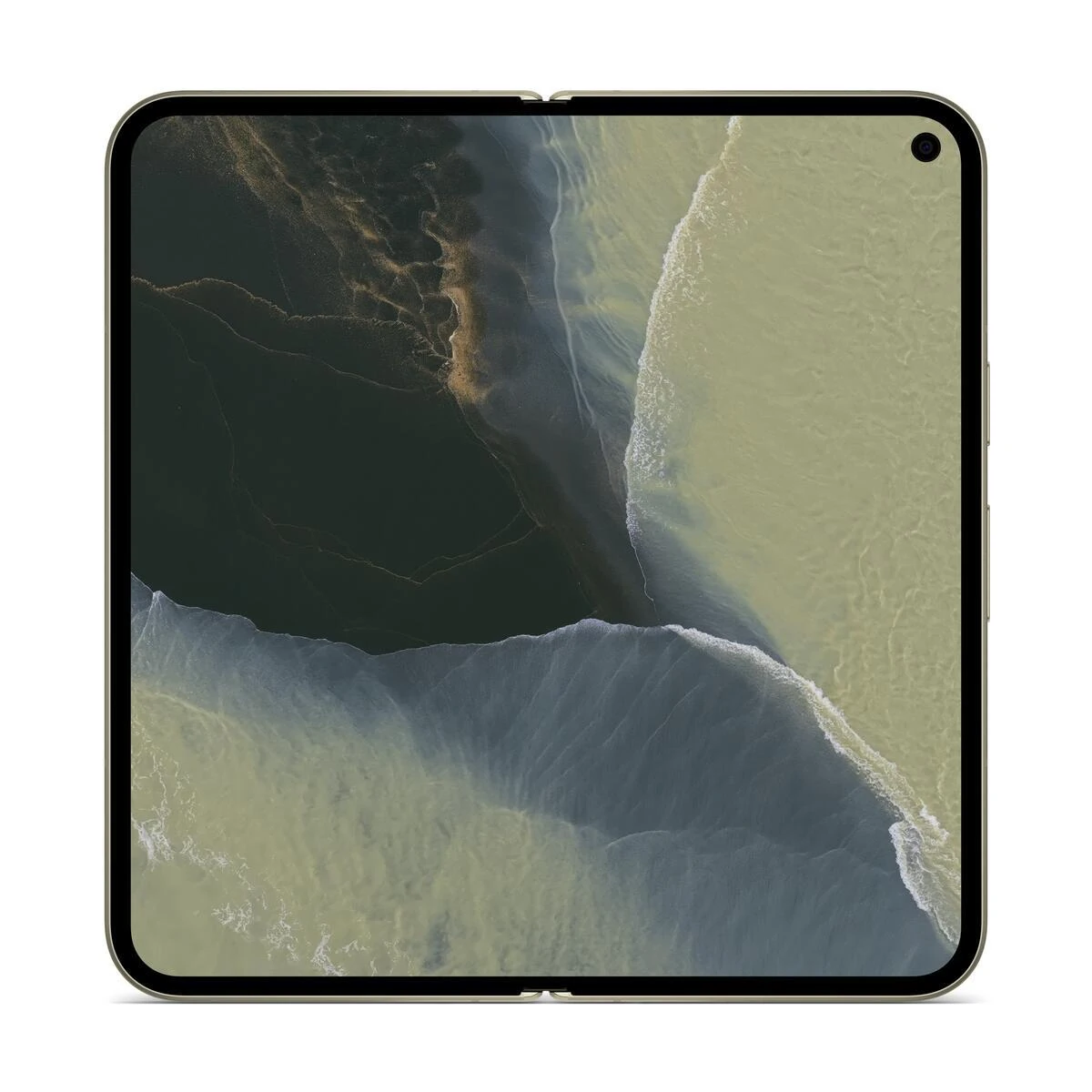
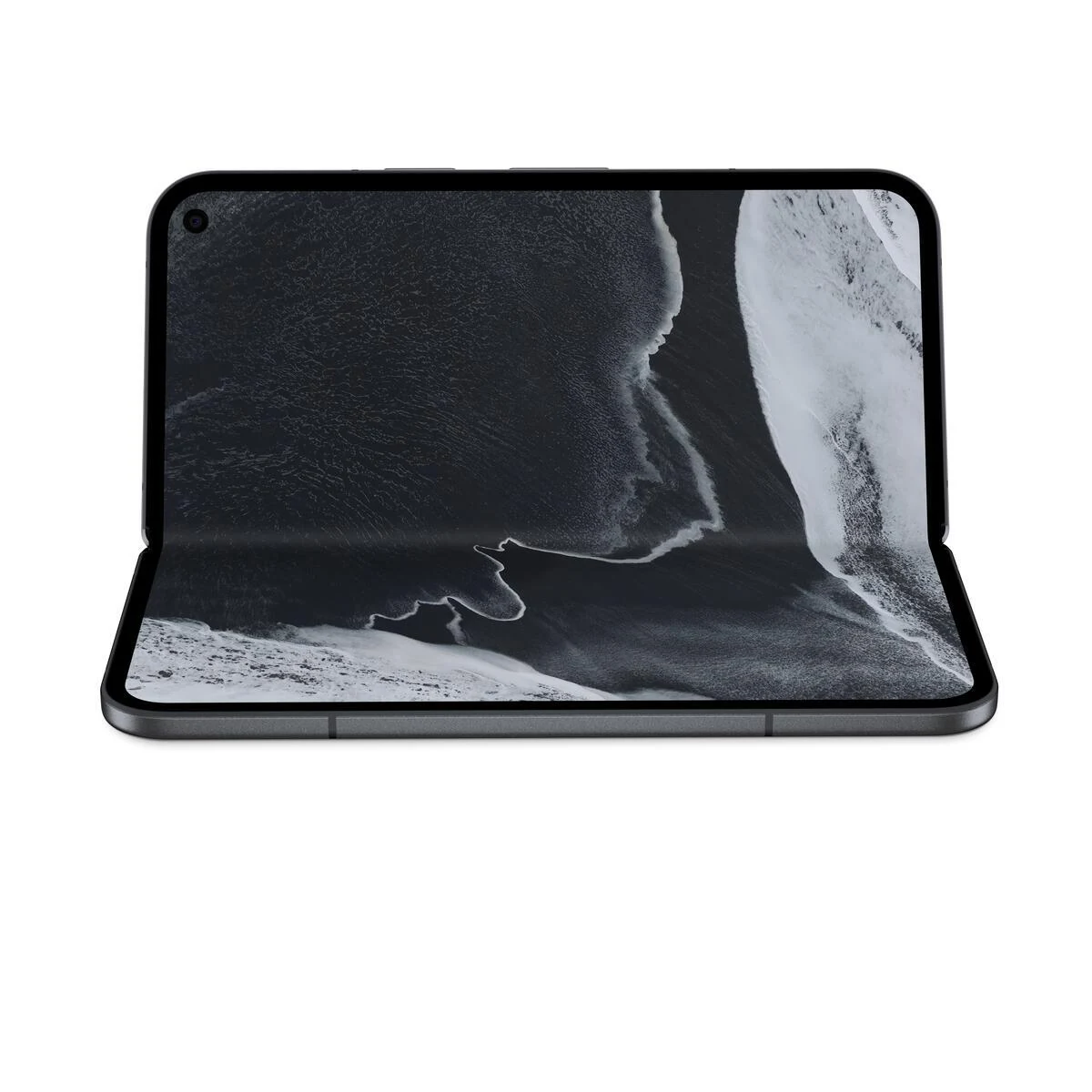
Where the Fold earns its keep is multitasking: Split Screen lets you run two full-sized apps side-by-side (like copying notes from a flight booking email directly into a calendar), Drag and Drop moves files effortlessly between apps, and Bubbles keeps up to five frequent contacts and tools one tap away.
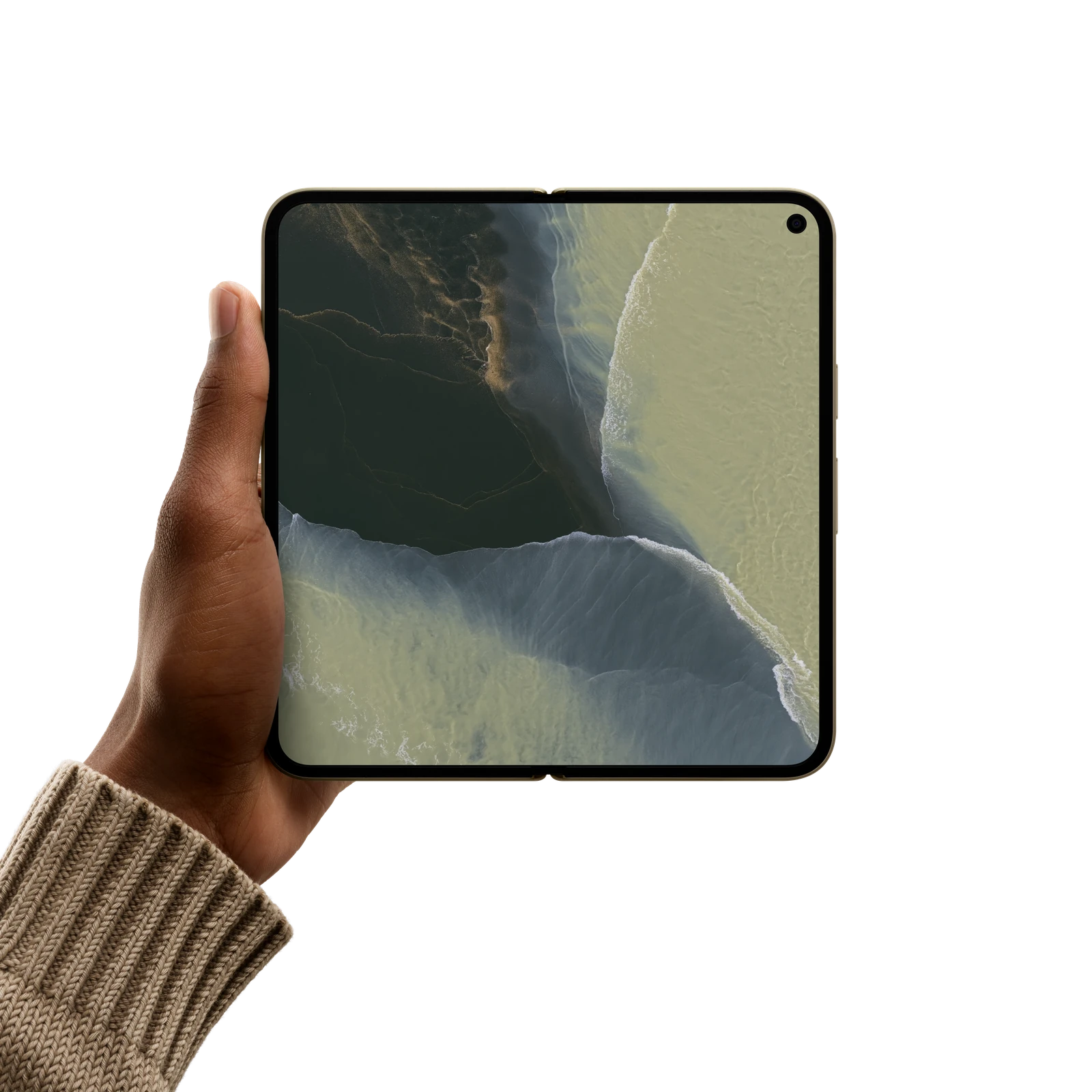
The Fold Trade-off: You get 30x Super Zoom instead of 120x Pro Zoom, and battery runtime is rated at 24+ hours instead of 30+. Buy it if you multitask daily; stick with the Pro XL if you prioritize camera reach and maximum endurance.
Gemini Intelligence and Everyday AI in Action
AI on a smartphone should not feel like a chatbot gimmick. It should quietly remove friction from your day. Here are the features that genuinely make life easier:
🎙️ Rambler: Speak Naturally, Write Perfectly
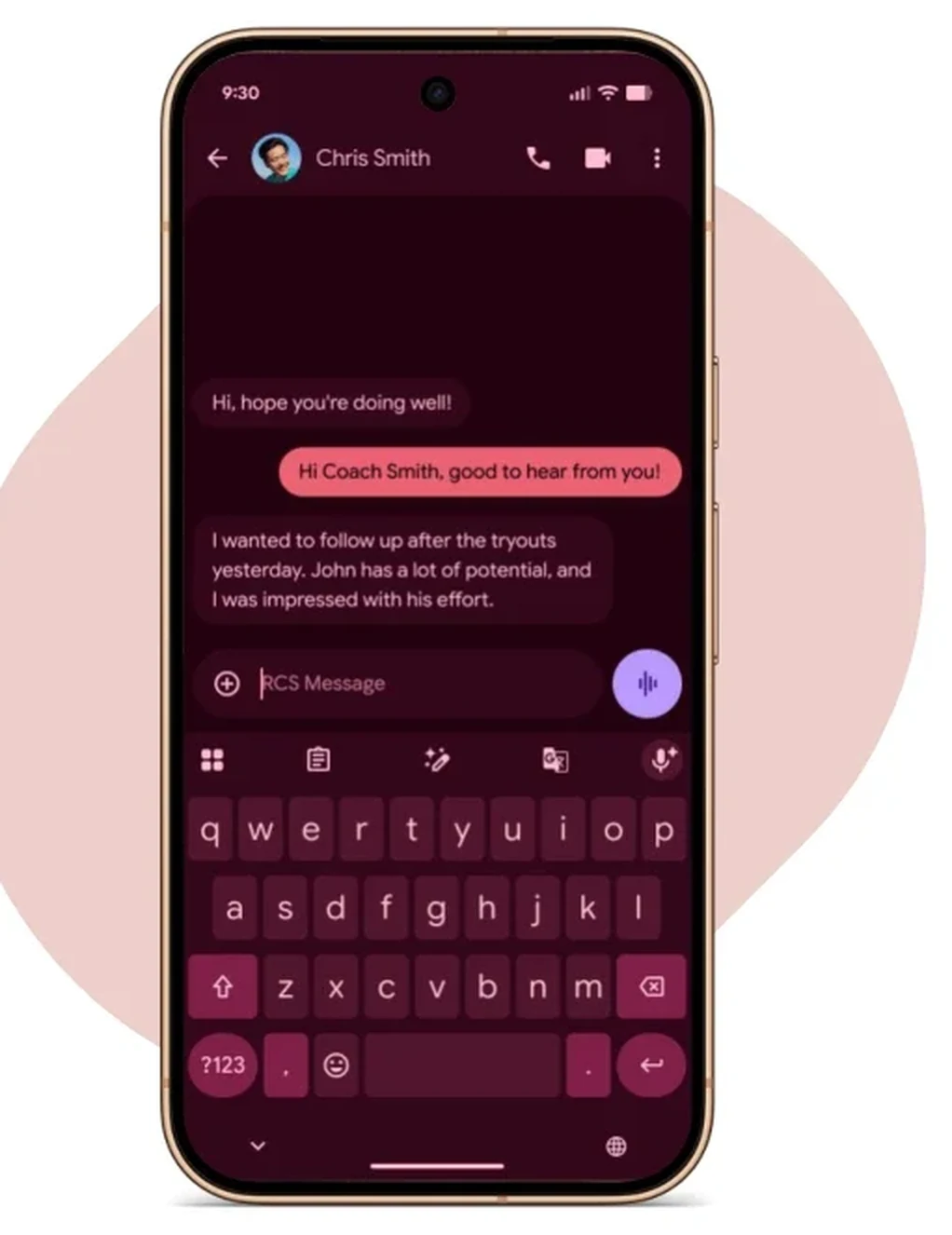
Standard voice dictation writes down every filler word, pause, and false start. Rambler is an all-new voice input engine in Gboard powered by Gemini. You can speak thoughts out loud with self-corrections, and Rambler automatically strips filler words, structures bulleted lists, and fixes punctuation while preserving your authentic voice. You can even speak in-line tone rewrites like "rewrite this to sound polite for my landlord" right inside any app.
Try Rambler in Gboard
💬 Proactive Assistance Cards in Chats and At A Glance
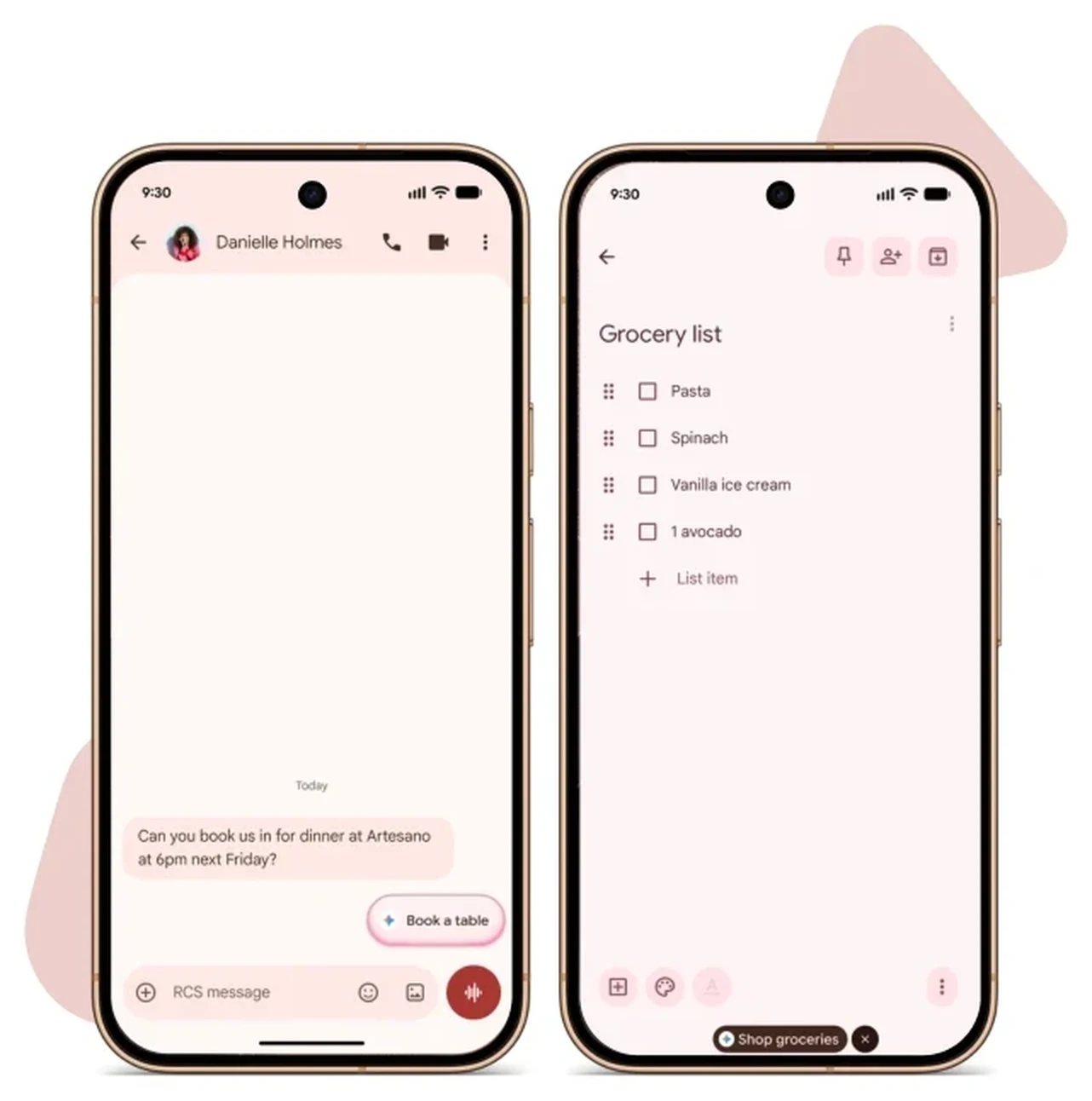
When chatting in Google Messages, Gemini automatically surfaces glanceable rich cards when someone asks about your flight status, calendar availability, or restaurant plans. You can trigger OpenTable reservations, order recipe groceries directly through Instacart from a Keep note, or compare products side-by-side without app switching.
Surfaces live gate updates and free calendar slots directly inside message threads.
Converts Google Keep recipe lists into complete Instacart shopping carts in one tap.
🌅 Gemini Omni and Daily Brief
Daily Brief greets you in the morning with a curated summary of urgent emails, high-priority tasks, weather, and calendar commitments. Gemini Omni lets you generate rich 8-second video scenes with native background sound effects and realistic dialogue directly from prompts or source photos.
🌐 Live Translate for Media and Circle to Search in Camera
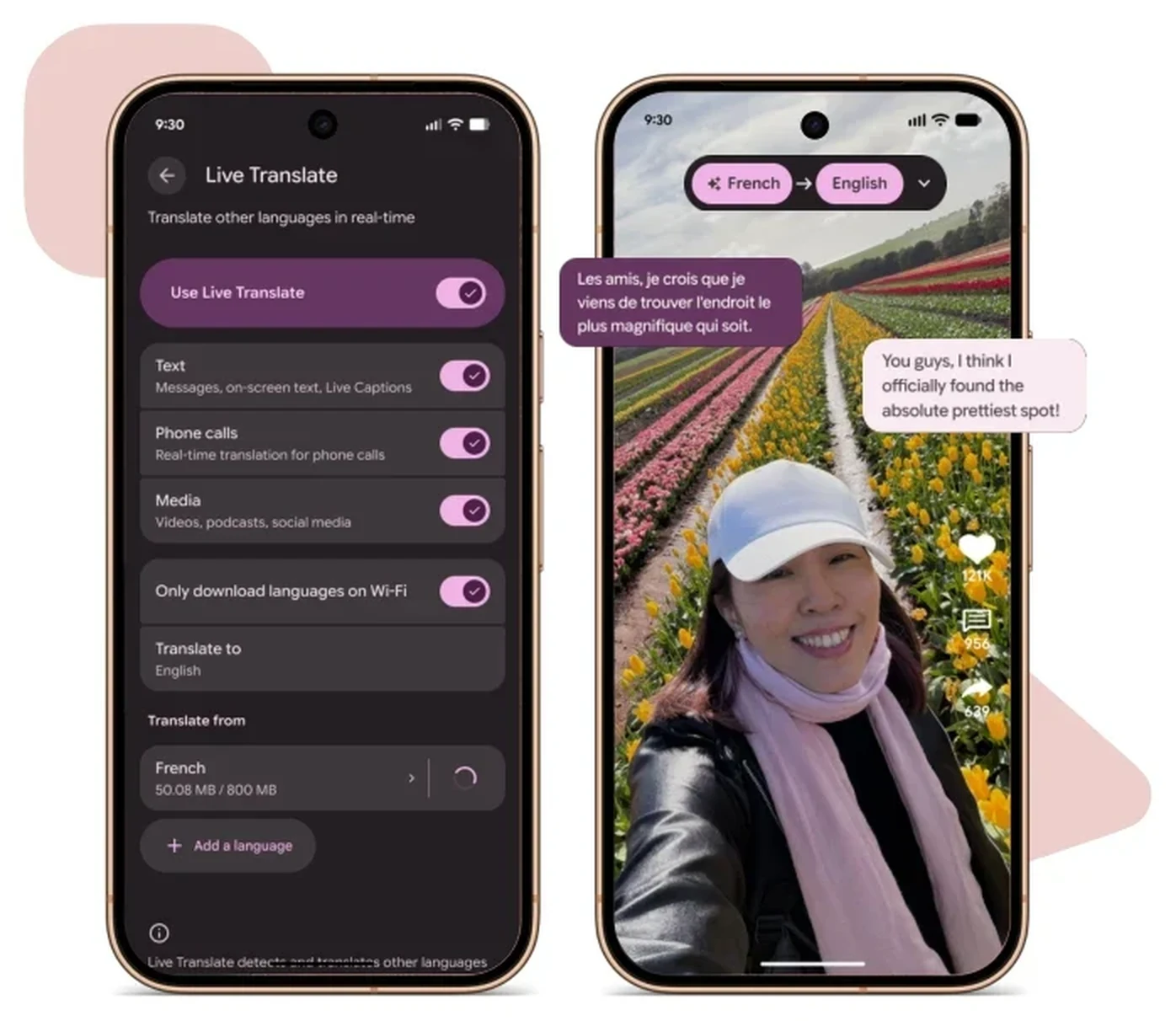
Live Translate for Media performs real-time audio and dialogue dubbing in your chosen language when watching foreign YouTube videos or listening to international podcasts. Meanwhile, Circle to Search now works directly inside the live camera viewfinder: just double-tap power to open camera, long-press the navigation bar, and circle any foreign sign or unfamiliar object in your surroundings.
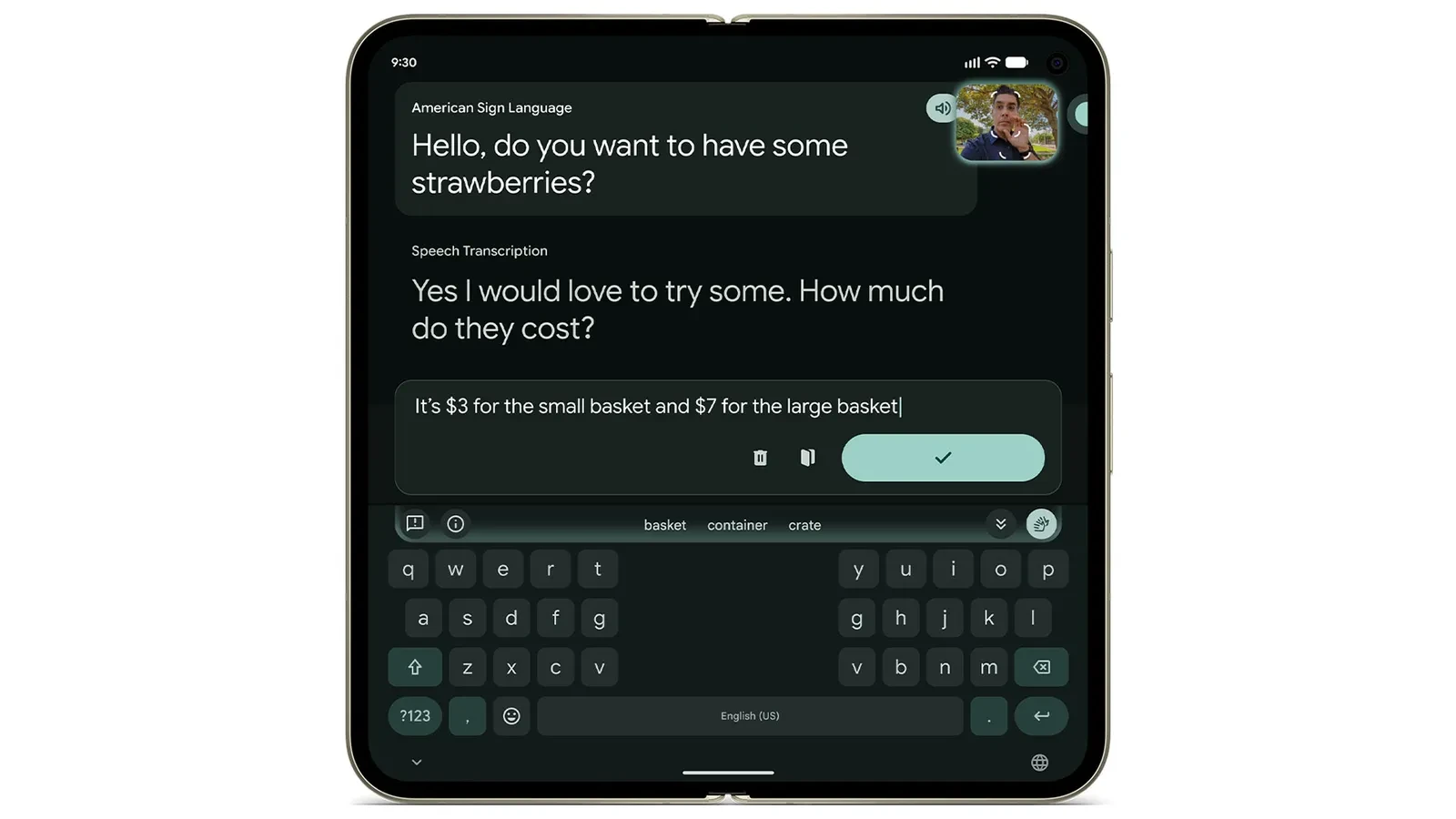
🤟 Sign-to-Text: Real-Time ASL Translation in Gboard
Gboard now includes native Sign-to-Text translation, using the front-facing camera and on-device computer vision models to transcribe American Sign Language (ASL) into real-time text messages without sending video data to external servers.
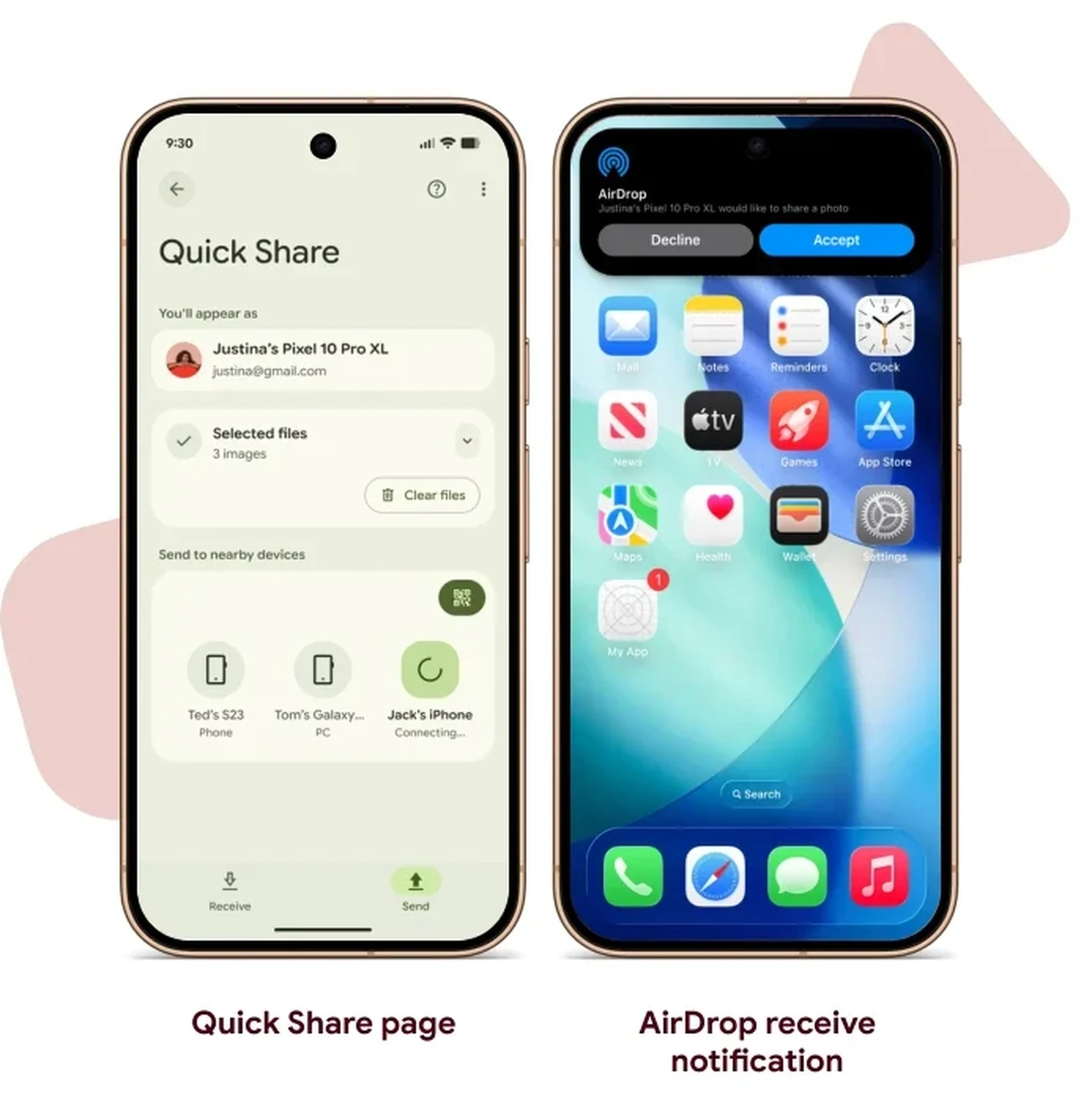
Cross-Platform Sharing: Quick Share Meets AirDrop
One of the most requested features in smartphone history is finally here: Quick Share now supports direct transfers to and from Apple AirDrop on compatible iPhones and Macs. No third-party apps, no cloud upload links: just direct local Wi-Fi and Bluetooth file sharing.
📲 Quick Share and Apple AirDrop Compatibility
Sending Files from Pixel to iPhone
Personal Safety and Hardware Protection
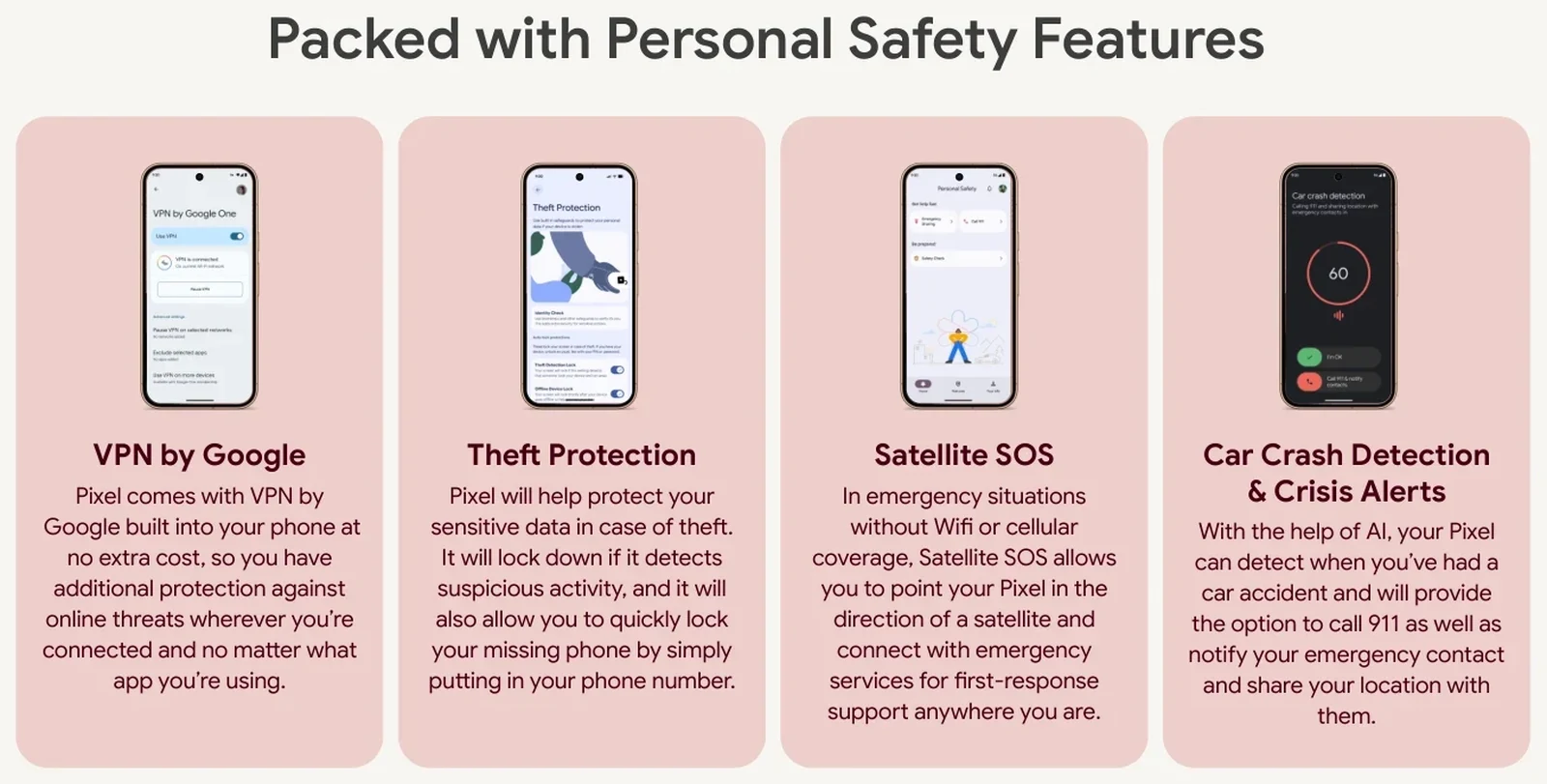
Pixel phones continue to lead in personal security with built-in safety features that do not cost extra:
🛡️ Pixel Personal Safety and Security Features
Encrypts public Wi-Fi traffic at no subscription cost.
Detects sudden snatch-and-run motion and locks the screen immediately. Remote lock available via phone number.
Connects to low-earth satellites for emergency response when out of cellular range.
Automatically dials emergency contacts and first responders if a collision is detected.
Ecosystem and Essential Accessories
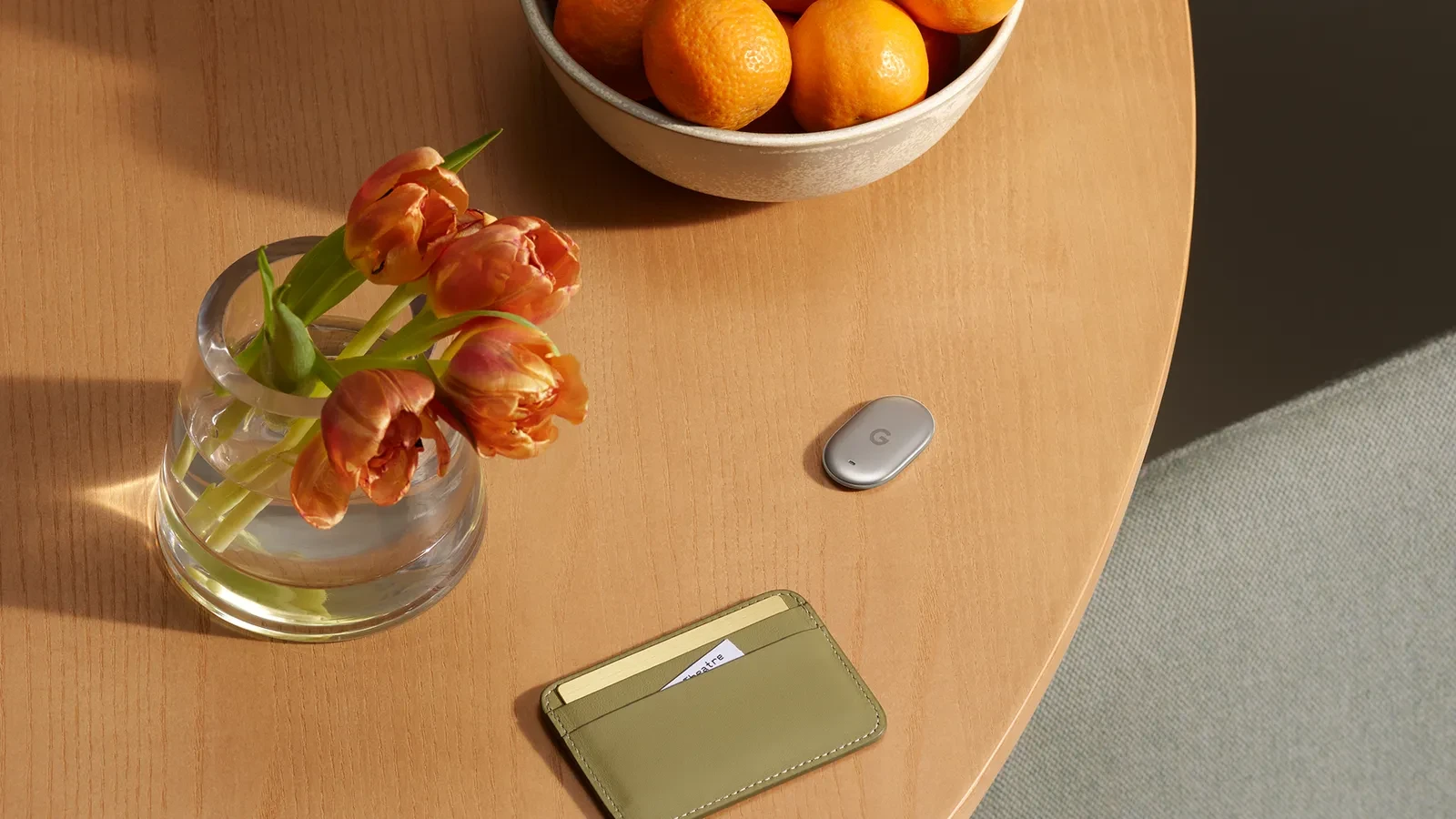
🏷️ The All-New Google Pixel Tag
Google introduced the Google Pixel Tag, an ultra-compact item tracker powered by the global Android Find My Device network and Ultra-Wideband (UWB) precision finding. Slip it in your wallet, clip it to your keys, or pack it in luggage with up to a full year of battery life and IP67 water resistance.

Frequently Asked Questions
1. What is the real difference between Pixel 11 and Pixel 11 Pro?
Both share the same 6.3-inch screen size, Tensor G6 chip, Pixelsnap magnetic charging, and 30+ hour battery life. The Pixel 11 Pro upgrades the display to a 3,600-nit LTPO panel (1 to 120Hz), adds a larger 50MP main sensor, 120x Pro Zoom, 42MP selfie camera, Instant Night Sight, 8K Video Boost, Creator Suite, and the rear HiLight LED ring.
2. Does the Pixel 11 Pro XL take better photos than the Pixel 11 Pro?
No. The camera hardware and image processing on the Pixel 11 Pro and Pixel 11 Pro XL are 100% identical. The Pro XL simply gives you a larger 6.8-inch screen and faster 45W wired charging (75% in 30 minutes). Since the photos are the same, the real question is whether the bigger body suits your hands, which is exactly what I test in my week-long Pro XL hands-on.
3. Does the standard Pixel 11 have a telephoto zoom camera?
Yes. Unlike many entry flagships, the Pixel 11 includes a dedicated 10.8MP 5x optical telephoto lens with 30x Super Zoom.
4. Does magnetic wireless charging work with all Qi chargers?
Pixelsnap is built on the universal Qi 2.2 magnetic standard. It snaps onto and fast-charges with all Qi 2.2 compatible chargers at up to 25W.
5. Can I really share files directly with iPhone users now?
Yes. Quick Share in Android 17 on the Pixel 11 series supports native transfers to Apple AirDrop when the recipient sets their AirDrop visibility to "Everyone for 10 minutes."
6. How long will the Pixel 11 be supported with software updates?
Google provides 7 full years of Android OS upgrades, security updates, and quarterly Pixel Drops through 2033.
Final Verdict: Match the Phone to Your Life
The smartest phone purchase is never about buying the most expensive option on the table. It is about matching the device to how you actually live your life:
- If you want a dependable, high-value flagship that takes stunning 5x zoom photos and lasts all day: Buy the Google Pixel 11.
- If you love mobile photography, shoot video, and want the ultimate camera in a comfortable one-handed size: Buy the Google Pixel 11 Pro.
- If you want a massive viewing canvas, huge battery, and rapid 30-minute top-ups: Buy the Google Pixel 11 Pro XL.
- If you want to run two apps side-by-side and replace your small tablet on the road: Buy the Google Pixel 11 Pro Fold.
That is the real buying guide. Pick the device that solves a real problem for you, grab a 67W fast charger or a Pixelsnap stand, and enjoy one of the most polished smartphones Google has ever built.
Until next time, keep cooking.
Gus